


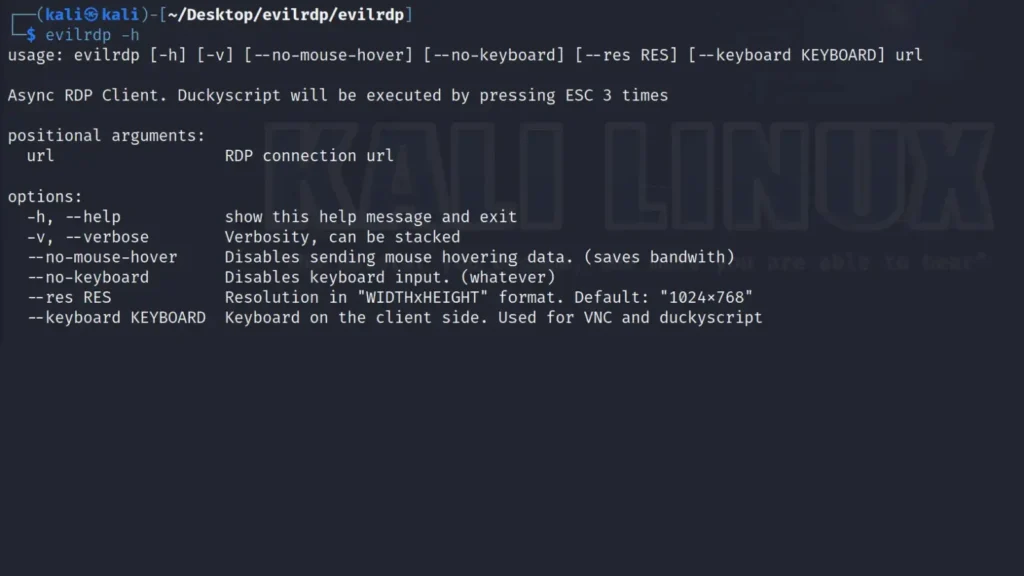
In the realm of remote desktop management, evilrdp stands out as a powerful tool designed to provide extended control over RDP connections.
Built on the aardwolf RDP client library, it offers a combination of GUI and command-line functionalities, making it an invaluable asset for both administrators and security professionals.
Features
- Automated Input Control: Users can control the mouse and keyboard from the command line, allowing for automated interactions with the remote desktop.
- Clipboard Management: The clipboard can be manipulated programmatically, enabling seamless data transfer between local and remote systems.
- SOCKS Proxy: evilrdp can spawn a SOCKS proxy, routing network traffic through the RDP connection, which is useful for bypassing network restrictions.
- Command Execution: It supports executing arbitrary SHELL and PowerShell commands on the target system without needing to upload files, enhancing post-exploitation capabilities.
- File Transfer: Files can be uploaded and downloaded even when file transfers are disabled on the target, providing flexibility in managing remote systems.
After installation, evilrdp presents a GUI similar to a standard RDP client alongside an interactive command-line shell. Two sets of commands are available:
- General Commands: These include
mousemove,rightclick,doubleclick,type,typefile,return/enter,invokerun,clipboardset,clipboardsetfile,clipboardget,powershell, andscreenshot. - PSCMD Channel Commands: These are activated once the PSCMD channel is established and include
pscmdchannel,startpscmd,pscmd,getfile,shell, andsocksproxy.
To use evilrdp, clone the repository from GitHub and install it using pip:
bashgit clone https://github.com/skelsec/evilrdp.git
pip3 install .
evilrdp supports various authentication methods via URL formats, such as Kerberos, NTLM, and plain authentication, allowing for flexible connection setups:
- Kerberos with Password:
rdp+kerberos-password://TEST\Administrator:Passw0rd!1@win2016ad.test.corp/?dc=10.10.10.2&proxytype=socks5&proxyhost=127.0.0.1&proxyport=1080 - NTLM with Password:
rdp+ntlm-password://TEST\Administrator:Passw0rd!1@10.10.10.103 - Pass-the-Hash (NTLM):
rdp+ntlm-password://TEST\Administrator:<NThash>@10.10.10.103 - Plain Authentication:
rdp+plain://Administrator:Passw0rd!1@10.10.10.103
evilrdp is a versatile tool that enhances RDP capabilities, offering advanced scripting and automation features.
Its ability to execute commands and manage files remotely makes it a valuable asset for both legitimate system administration and security testing scenarios.