


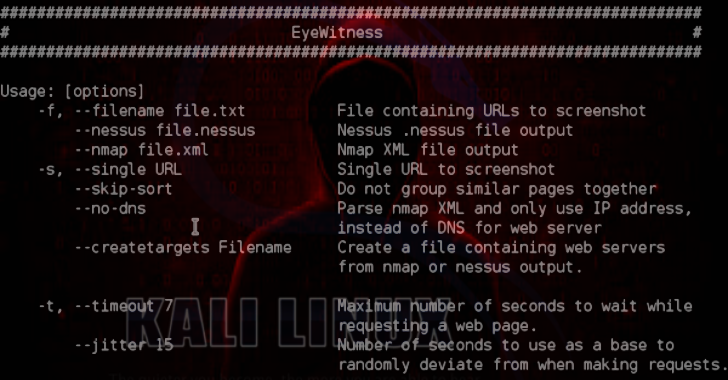
EyeWitness is designed to take screenshots of websites provide some server header info, and identify default credentials if known.
It is designed to run on Kali Linux. It will auto detect the file you give it with the -f flag as either being a text file with URLs on each new line, nmap XML output, or nessus XML output.
The –timeout flag is completely optional, and lets you provide the max time to wait when trying to render and screenshot a web page.
Setup
- Navigate into the setup directory
- Run the setup.sh script
Also Read – Fail2Ban : Daemon To Ban Hosts That Cause Multiple Authentication Errors
Usage
./EyeWitness.py -f filename –timeout optionaltimeout –open (Optional)
Examples
./EyeWitness -f urls.txt –web
./EyeWitness -x urls.xml –timeout 8 –headless
Docker
Now you can execute it in a docker container and prevent you from install unnecessary dependencies in your host machine.
- Note1: execute docker run with the folder path in the host which hold your results (/path/to/results)
- Note2: in case you want to scan urls from a file, make sure you put it in the volume folder (if you put urls.txt in /path/to/results, then the argument should be -f /tmp/EyeWitness/urls.txt)
Usage
docker build –build-arg user=$USER –tag eyewitness .
docker run \
–rm \
-it \
-e DISPLAY=$DISPLAY \ # optional flag in order to use vnc protocol
-v /tmp/.X11-unix:/tmp/.X11-unix \ # optional flag in order to use vnc protocol
-v /path/to/results:/tmp/EyeWitness \
eyewitness \
EyeWitness_flags_and_input
Example #1 – headless capturing
docker run \
–rm \
-it \
-v ~/EyeWitness:/tmp/EyeWitness \
eyewitness \
–web \
–single http://www.google.com