


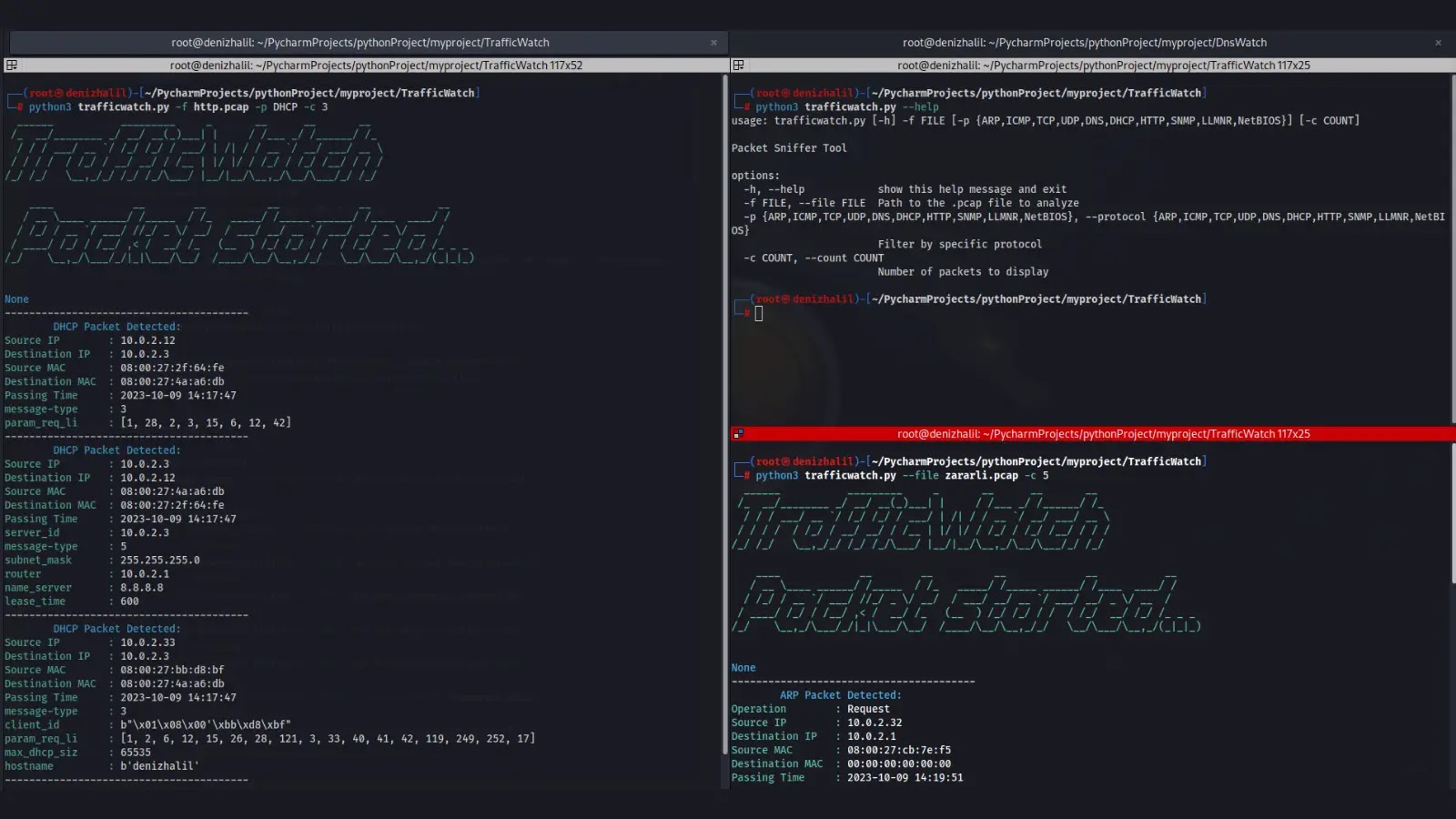
TrafficWatch, a packet sniffer tool, allows you to monitor and analyze network traffic from PCAP files. It provides insights into various network protocols and can help with network troubleshooting, security analysis, and more.
Features
- Protocol-specific packet analysis for ARP, ICMP, TCP, UDP, DNS, DHCP, HTTP, SNMP, LLMNR, and NetBIOS.
- Packet filtering based on protocol, source IP, destination IP, source port, destination port, and more.
- Summary statistics on captured packets.
- Interactive mode for in-depth packet inspection.
- Timestamps for each captured packet.
- User-friendly colored output for improved readability.
Requirements
- Python 3.x
- scapy
- argparse
- pyshark
- colorama
Installation
- Clone the repository:
git clone https://github.com/HalilDeniz/TrafficWatch.git2. Navigate to the project directory:
cd TrafficWatch3. Install the required dependencies:
pip install -r requirements.txtUsage
python3 trafficwatch.py --help
usage: trafficwatch.py [-h] -f FILE [-p {ARP,ICMP,TCP,UDP,DNS,DHCP,HTTP,SNMP,LLMNR,NetBIOS}] [-c COUNT]

Packet Sniffer Tool

options:
-h, --help            show this help message and exit
-f FILE, --file FILE  Path to the .pcap file to analyze
-p {ARP,ICMP,TCP,UDP,DNS,DHCP,HTTP,SNMP,LLMNR,NetBIOS}, --protocol {ARP,ICMP,TCP,UDP,DNS,DHCP,HTTP,SNMP,LLMNR,NetBIOS}
                     Filter by specific protocol
-c COUNT, --count COUNT
                     Number of packets to display
To analyze packets from a PCAP file, use the following command:
python trafficwatch.py -f path/to/your.pcapTo specify a protocol filter (e.g., HTTP) and limit the number of displayed packets (e.g., 10), use:
python trafficwatch.py -f path/to/your.pcap -p HTTP -c 10python trafficwatch.py -f path/to/your.pcap -p HTTP -c 10