Fragroute intercepts modify and rewrite egress traffic destined for the specified host. Simply frag route fragments packets originating from our(attacker) system to the destination system. Its used by security personnel or hackers for evading firewalls, avoiding IDS/IPS detections & alerts etc. Also, pentesters use it to gather information from a highly secured remote host.
fragroute –f <lconfigfile> dst<destination>
-f – Config file on how frag route should work.
Default configuration file is at /etc/fragroute.conf. One can either use this default file or write a new configuration file. The custom file requires following rules to be written.
delay first|last|random <ms>
drop first|last|random <prob-%>
dup first|last|random <prob-%>
echo <string> ...
ip_chaff dup|opt|<ttl>
ip_frag <size> [old|new]
ip_opt lsrr|ssrr <ptr> <ip-addr> ...
ip_ttl <ttl>
ip_tos <tos>
order random|reverse
print
tcp_chaff cksum|null|paws|rexmit|seq|syn|<ttl>
tcp_opt mss|wscale <size>
tcp_seg <size> [old|new]
Fragroute Homepage: http://www.monkey.org/~dugsong/fragroute/
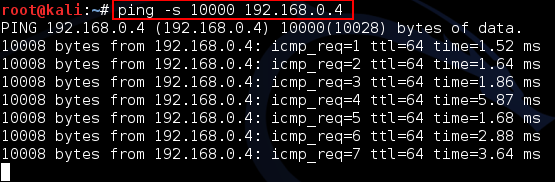
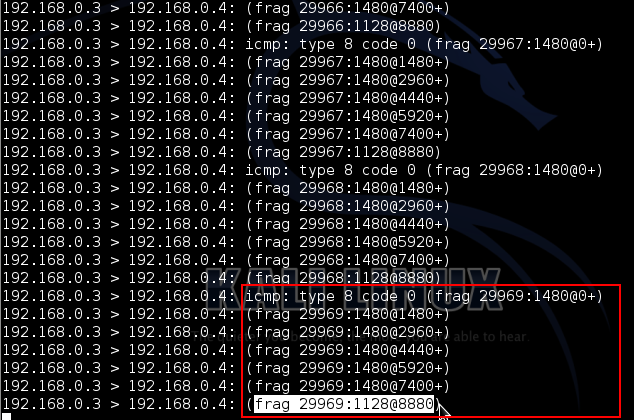
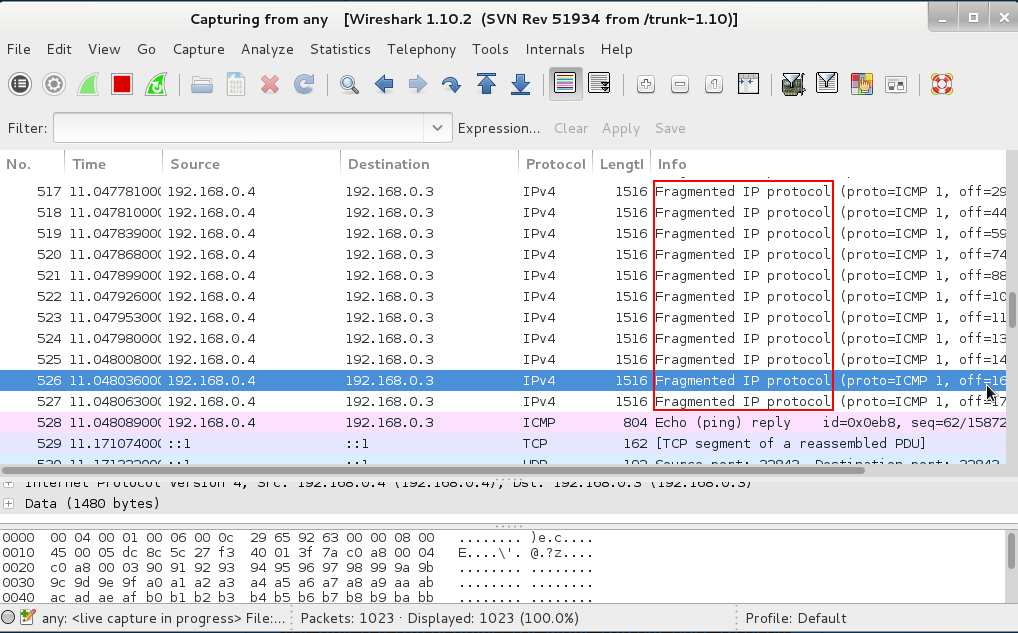
This demonstrates large ping packets being fragmented in between 2 hosts, the attacker & target. The attacker has ipaddress 192.168.0.3 & target has 192.168.0.4
1. In attack machine turn on fragroute
Command : fragroute –f /etc/fragroute.conf 192.168.0.4<replace with your destination>
2. Open another terminal & ping large sized packet
Command: ping –s 10000 192.168.0.4<replace with your destination>
3. Check terminal in which frag route is running
Suppose we have to increase TTL value & no of TCP segments in order to evade a firewall.
1. Make a new file.<here it is custconf>
Command: leafpad custconf <yourname here>
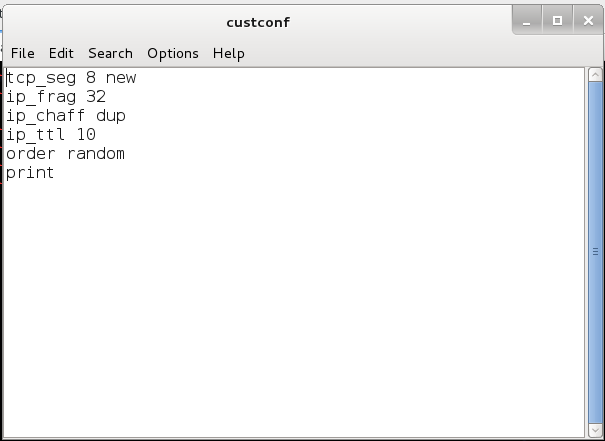
2. In that file, type
tcp_seg 8 new   -    No of tcp segments(default is 4)

ip_frag 32      -    No of ip fragments(default is 24)

ip_chaff dup    -

ip_ttl 10       -    ttl 10

order random

print
Now the file looks like the following image. Remember not to include my description of what the parameter is, from the above field.
3. Start it with this file & destination
Command: fragroute –f custconf <replace "custconf" with your filename> 192.168.0.4
4. Now ping using another terminal to the destination with large packet size.
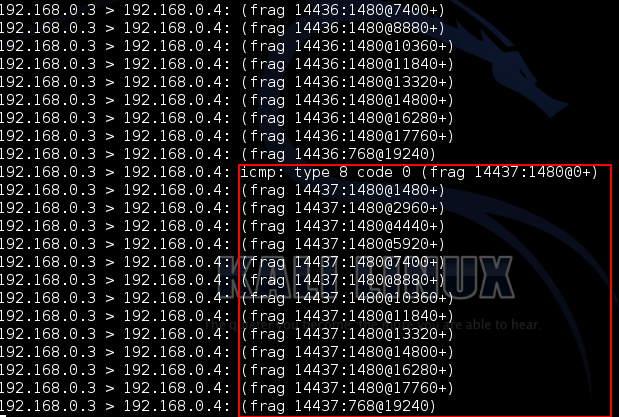
Commang : ping –s 20000 192.168.0.4
5. See terminal on which frag route is running.
Optionally, check on the destination system with packet analyzers like Wireshark or tcpdump.
Optionally, if you know Nmap scanning, do a ping scan with Nmap to the destination and check on both hosts.
Read More: https://www.informit.com/guides/content.aspx?g=security&seqNum=53
AI companies operating in or around Switzerland face a compliance challenge that most legal teams…
Two major data privacy laws now govern how organizations handle personal data across Europe; the…
This cheat sheet covers the essential Kali Linux commands every pentester and ethical hacker uses…
When I first started learning malware analysis and reverse engineering, I thought the hardest part…
Both git fetch and git pull talk to a remote repository, but they do very different things to your…
Sometimes the change you need already exists, just on the wrong branch. A hotfix lands…