How EDR Killers Bypass Security Tools
By 0xSnow on March 19, 2026


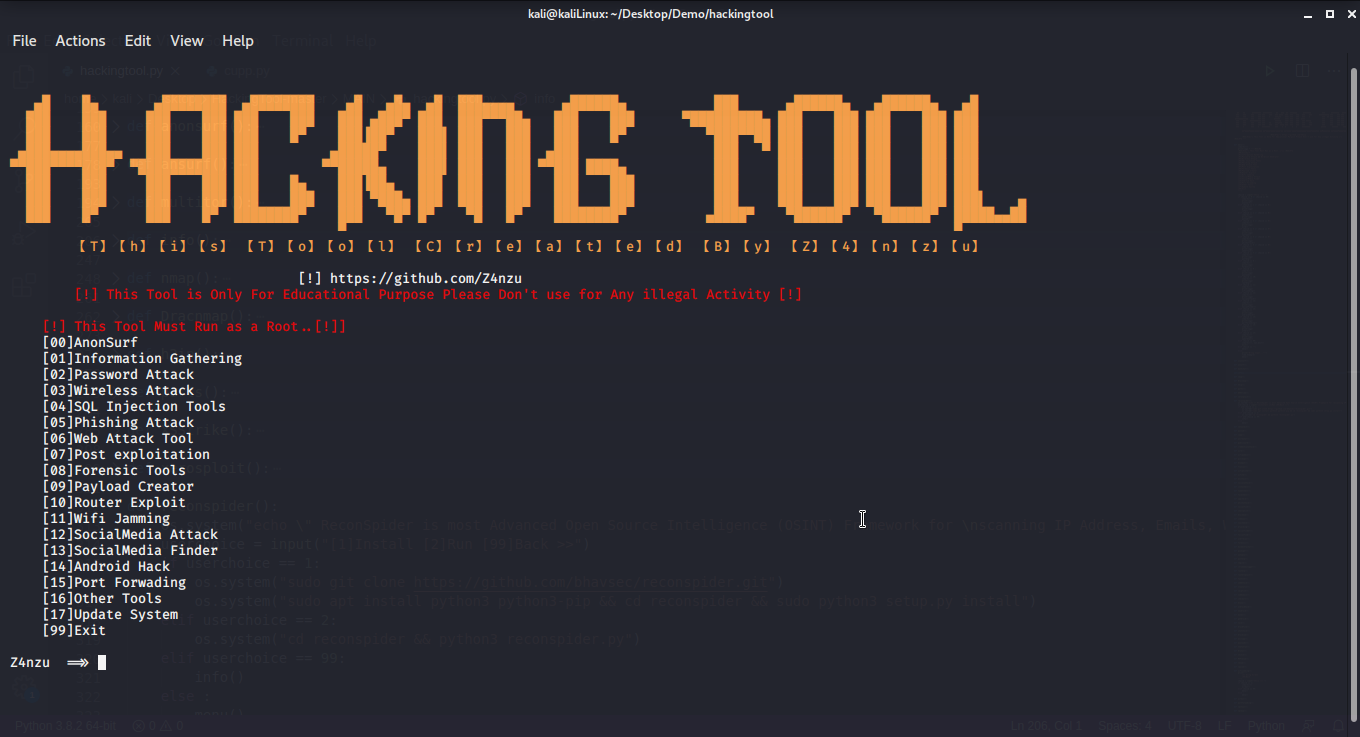
Hackingtool is an all-in-one cybersecurity toolkit developed by Z4nzu. It brings together a collection of security utilities through a menu-driven interface, allowing users to explore tools for information gathering, network assessment, wireless security, web application testing, digital forensics, and other cybersecurity tasks.
Instead of installing and managing every utility separately, Hackingtool provides a centralized interface for accessing supported projects. It is primarily designed for Linux environments and includes options for installing and launching individual tools. Its broad collection makes it useful as a reference for security learners and professionals working in authorized testing environments.
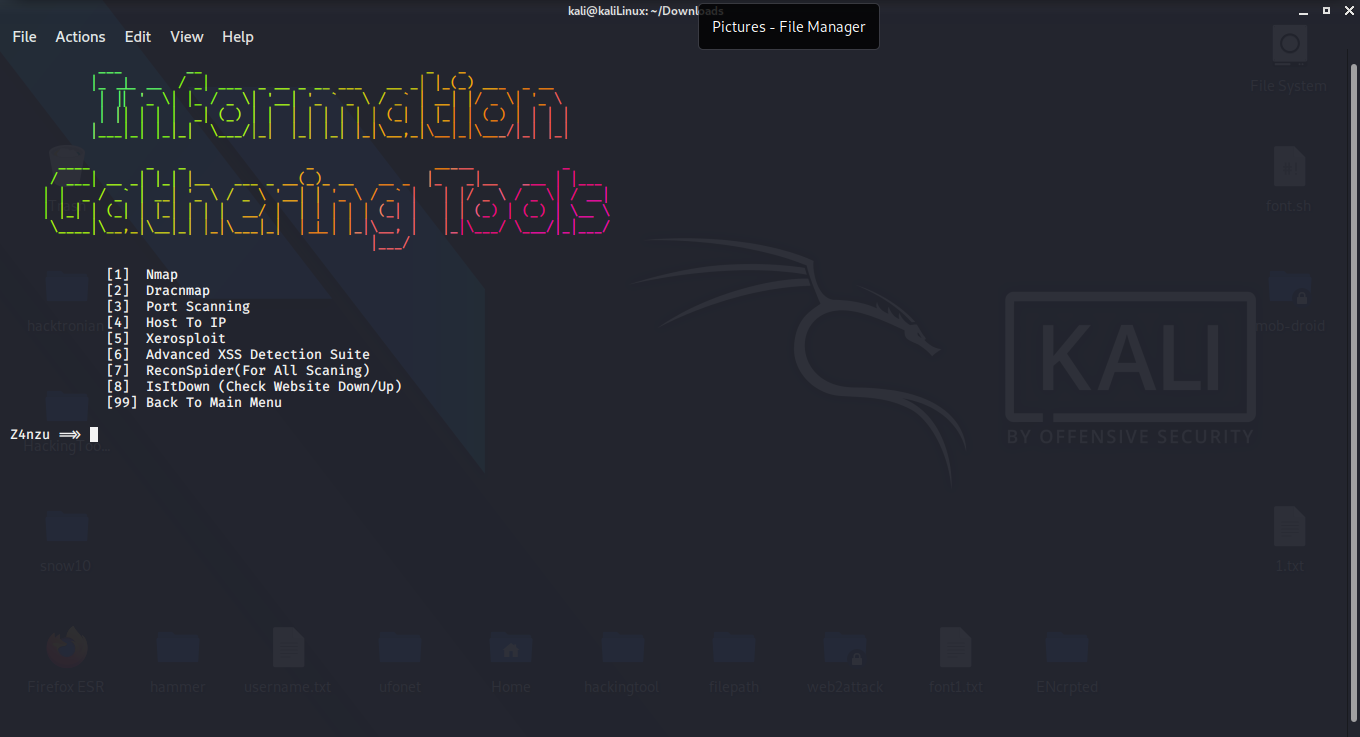
The information-gathering section brings together utilities for network discovery, domain reconnaissance, port scanning, and OSINT research. The original collection includes projects such as Nmap, Dracnmap, ReconSpider, RED HAWK, Infoga, and Shodan-related tools.
These utilities can help security teams map authorized assets, identify exposed services, and collect information about their own infrastructure before conducting security assessments.
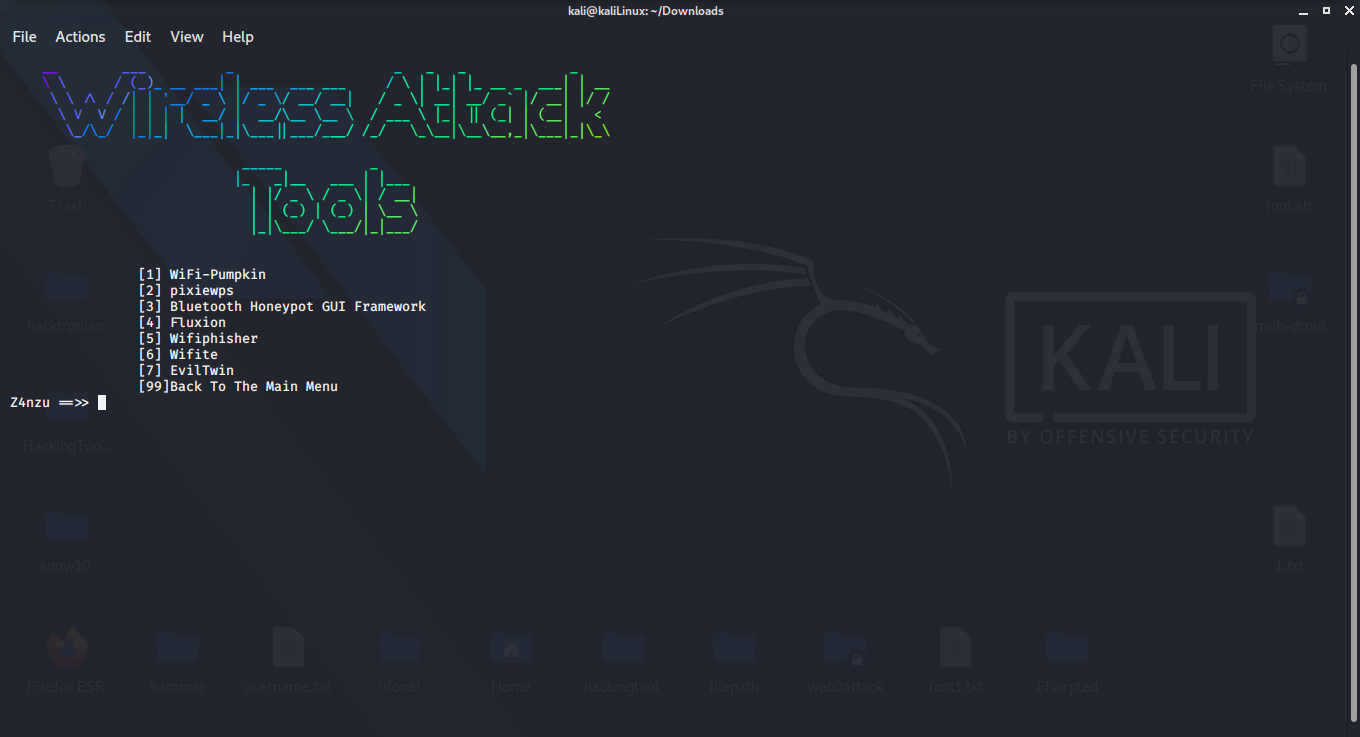
Hackingtool includes a category dedicated to wireless security research. The original list features projects such as WiFi-Pumpkin, Pixiewps, Fluxion, Wifiphisher, Wifite, and Bluetooth honeypot frameworks.
These projects cover different aspects of wireless security, including network auditing and controlled security simulations. Wireless assessments should only be conducted on networks owned by the tester or where explicit authorization has been granted.
The web security categories contain utilities for application assessment, vulnerability discovery, and testing common web security weaknesses. The original collection references tools such as SQLmap, NoSQLMap, Skipfish, DIRB, Blazy, and Subdomain Finder.
It also includes cross-site scripting detection and analysis projects such as DalFox, XSpear, XSSCon, and other XSS-related utilities. These tools can support authorized application security reviews and help developers identify weaknesses before deployment.
The toolkit includes wordlist-generation and password-auditing resources. Examples in the original collection include CUPP, WordlistCreator, Goblin WordGenerator, and Hash Buster.
These utilities are relevant to password security research, controlled password-strength assessments, and evaluating authentication policies. Use them only with test accounts, approved datasets, and systems for which you have permission.
Hackingtool also provides access to forensic and network-analysis utilities. The original list includes Autopsy, Wireshark, Bulk Extractor, Guymager, and Toolsley.
These resources support activities such as examining disk images, inspecting network traffic, extracting artifacts, and investigating potential security incidents.
Beyond its primary sections, Hackingtool organizes several other types of utilities:
The original directory also lists phishing, payload-generation, denial-of-service, remote administration, and social media brute-force utilities. These capabilities can be misused, so they should not be treated as general-purpose tools or deployed against third-party systems. This guide focuses on legitimate security assessment, defensive research, and controlled lab use.
Hackingtool is distributed through its GitHub repository. The original installation instructions use Git to retrieve the project and an installation script to prepare its components. However, the project includes third-party utilities with different dependencies, permissions, and maintenance histories.
Start by reviewing the repository and its installation instructions before running any scripts:
git clone https://github.com/Z4nzu/hackingtool.git
cd hackingtool
Inspect the installation script and individual tool dependencies before proceeding. Avoid following older instructions that recommend running the entire toolkit as root by default. Use an isolated Linux environment and grant elevated permissions only when a specific, trusted component genuinely requires them.
The original article also documents Docker-based execution as an alternative to installing the toolkit directly on a Linux host. Containerization can help separate dependencies from the host system, although it does not automatically make untrusted tools safe. Review the Docker image, mounted volumes, requested privileges, and network access before running it.
For security-sensitive testing, use a disposable container or virtual machine without access to personal files, production credentials, or unrelated networks.
Hackingtool offers a convenient starting point for exploring different cybersecurity utilities from one interface. Its categorized structure can help learners discover tools across network security, OSINT, wireless assessment, web application testing, and digital forensics. However, each component should be evaluated independently before use.
Visit the official Hackingtool GitHub repository for source code, documentation, and project updates. You can also explore our guide to Nmap network scanning to learn more about one of the network assessment utilities referenced in the collection.


.jpg "The Evolution of Online Finance Tools In a Tech-Driven World")