


How EDR Killers Bypass Security Tools
By 0xSnow on March 19, 2026


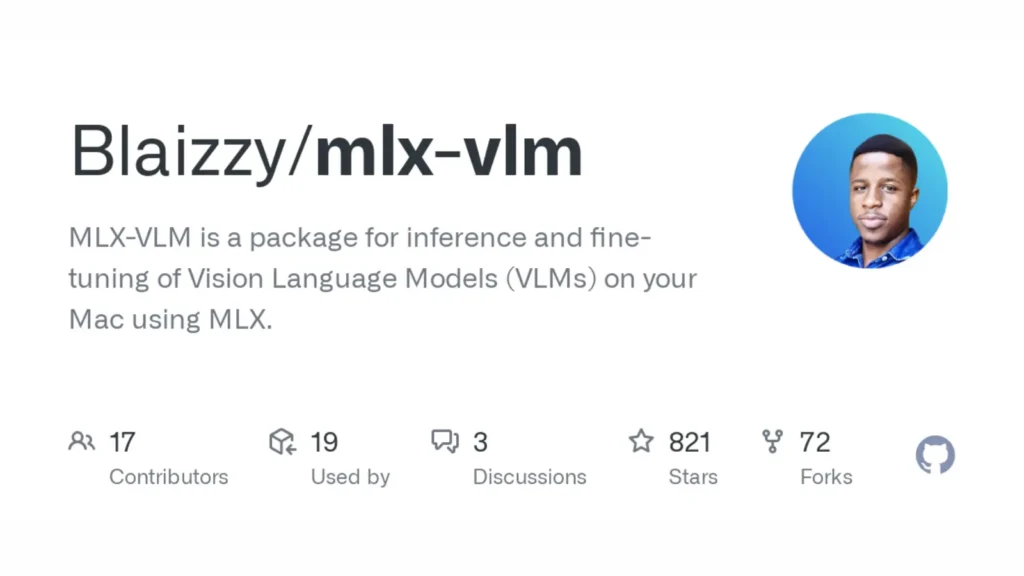
Running large multimodal models locally on consumer hardware typically demands discrete NVIDIA GPUs with 24 GB or more of VRAM. Apple Silicon Macs share memory between CPU and GPU through a unified memory architecture, making them genuinely capable of running quantized vision language models without cloud dependencies or expensive data center hardware. MLX-VLM brings this capability into a single pip-installable package built on top of Apple’s MLX framework, enabling image captioning, video summarization, and VLM fine-tuning entirely on-device.
Developed for the mlx-community ecosystem, the tool supports state-of-the-art models including Qwen2-VL, Phi3-Vision, Pixtral, and Idefics3. You can review source code, model compatibility lists, and example scripts on the official MLX-VLM GitHub repository. Security researchers and AI engineers use it to run sensitive document analysis pipelines locally without transmitting proprietary images to external API endpoints.
MLX-VLM requires macOS running on an Apple Silicon chip: M1, M2, M3, or M4 series. The unified memory architecture on these chips allows the model to use system RAM as GPU VRAM simultaneously, making 16 GB and 32 GB configurations viable for 4-bit quantized models.
# Install MLX-VLM from PyPI
pip install mlx-vlm

# Verify the installation and check available commands
python -m mlx_vlm.generate --help
No CUDA dependencies, no separate GPU driver configuration, and no Docker containers needed. The pip install pulls in the Apple MLX library, model loading utilities, and all vision processing dependencies automatically.
The generate module accepts an image URL or local file path and a text prompt, then streams the model output directly to your terminal.
# Run image description using a 4-bit quantized Qwen2-VL model
python -m mlx_vlm.generate \
  --model mlx-community/Qwen2-VL-2B-Instruct-4bit \
  --max-tokens 200 \
  --image https://example.com/screenshot.png \
  --prompt "Describe what you see in this image"

# Run with a local image file
python -m mlx_vlm.generate \
  --model mlx-community/Qwen2-VL-2B-Instruct-4bit \
  --max-tokens 150 \
  --image /path/to/local/image.jpg \
  --prompt "Extract all text visible in this image"
The --max-tokens flag controls generation length. Running OCR-style prompts against screenshots produces structured text extraction without cloud API keys or usage costs. Security teams use this pattern for offline document triage during incident response workflows where data residency requirements prohibit external API calls.
Command-line invocation suits single-shot tasks. Interactive analysis sessions with multiple follow-up questions work better through the Gradio chat UI, which maintains conversation context across turns.
# Launch the interactive Gradio chat interface
python -m mlx_vlm.chat_ui --model mlx-community/Qwen2-VL-2B-Instruct-4bit
The web interface opens at http://127.0.0.1:7860 by default. Upload one or more images, then ask follow-up questions referencing earlier answers. Conversation history remains in local browser memory and never leaves the machine.
Embedding model inference into custom automation pipelines requires only three function calls: load the model and processor, then call generate with your prompt and image list.
from mlx_vlm import load, generate
from mlx_vlm.utils import load_config

# Load model and processor from local cache or HuggingFace hub
model, processor = load("mlx-community/Qwen2-VL-2B-Instruct-4bit")
config = load_config("mlx-community/Qwen2-VL-2B-Instruct-4bit")

# Single image analysis
output = generate(
    model,
    processor,
    "What vulnerabilities or sensitive data are visible in this screenshot?",
    ["https://example.com/target-image.png"],
    max_tokens=300,
    verbose=False
)
print(output)
The generate function accepts a list of image URLs or local paths, enabling multi-image comparison in a single call. Models like Qwen2-VL and Pixtral natively support this multi-image context window, reasoning across all provided visuals before producing a single coherent response.
Select models in the MLX-VLM ecosystem extend beyond still images to video content. Qwen2.5-VL and Idefics3 accept video frames as input, enabling automated summarization, scene description, and temporal event detection.
| Model | Modality | Recommended Use Case |
|---|---|---|
Qwen2-VL-2B-Instruct-4bit | Images, multi-image | Fast single-image Q&A, OCR, document triage on 16 GB RAM |
Phi3-Vision | Images | Chart understanding, table extraction, scientific diagram analysis |
Qwen2.5-VL | Images, video | Video captioning, temporal event detection, multi-frame reasoning |
Idefics3 | Images, video | Long-context visual document understanding with few-shot prompting |
Pre-trained models generalize well but produce suboptimal results on domain-specific image types like medical scans, network topology diagrams, or proprietary UI screenshots. LoRA and QLoRA fine-tuning let you adapt a base VLM to your specific image distribution using a small curated dataset without retraining the full parameter set.
# Fine-tune a model using LoRA on a local dataset
python -m mlx_vlm.lora --model mlx-community/Qwen2-VL-2B-Instruct-4bit \
  --train-data ./data/training_images/ \
  --iters 500 \
  --learning-rate 1e-4 \
  --lora-rank 8
QLoRA pushes memory efficiency further by quantizing the base weights to 4-bit precision during training. A 32 GB M3 Mac handles fine-tuning runs on datasets with hundreds of annotated image-text pairs within a few hours. The resulting adapter weights are small enough to version-control alongside your application code using standard git branch workflows for experiment tracking.


.jpg "The Evolution of Online Finance Tools In a Tech-Driven World")


.png "Best Email APIs for Secure Business Email")
