

How EDR Killers Bypass Security Tools
By 0xSnow on March 19, 2026



Profil3r is an open-source intelligence (OSINT) tool designed to discover potential online accounts and email addresses associated with a person. It searches multiple websites and online services using supplied names, identifies possible username variations, and can check whether discovered email addresses appear in known data leaks.
Profil3r helps security researchers and investigators bring publicly available information together during digital footprint assessments. Its reporting functionality also makes it easier to review and organise the results of an investigation.
Profil3r requires Python 3 and the dependencies used by the project. Install Python 3 before proceeding with the setup.
Install the required Python packages using pip:
pip3 install PyInquirer jinja2
Clone the Profil3r repository and move into the project directory:
git clone https://github.com/Rog3rSm1th/Profil3r.git
cd Profil3r/
The original project instructions use the following command to install the tool:
sudo python3 setup.py install
These are the installation instructions documented by the project. Since they use a legacy Python setup method, check the repository for compatibility and dependency requirements before installing. Avoid running unfamiliar setup scripts with elevated privileges unless you have reviewed their contents.
Profil3r searches across several categories of online services to identify potential digital footprints.
The service categories listed in the original project include:
Availability and search behaviour depend on the services supported by the project. A search result should be treated as a possible match, not proof that an account belongs to a particular person.
Profil3r automatically creates reports containing the information collected during a search. It supports two output formats:
reports/json directory. These files are useful for structured data processing and further analysis.reports/html directory. They can be opened in a web browser for easier review.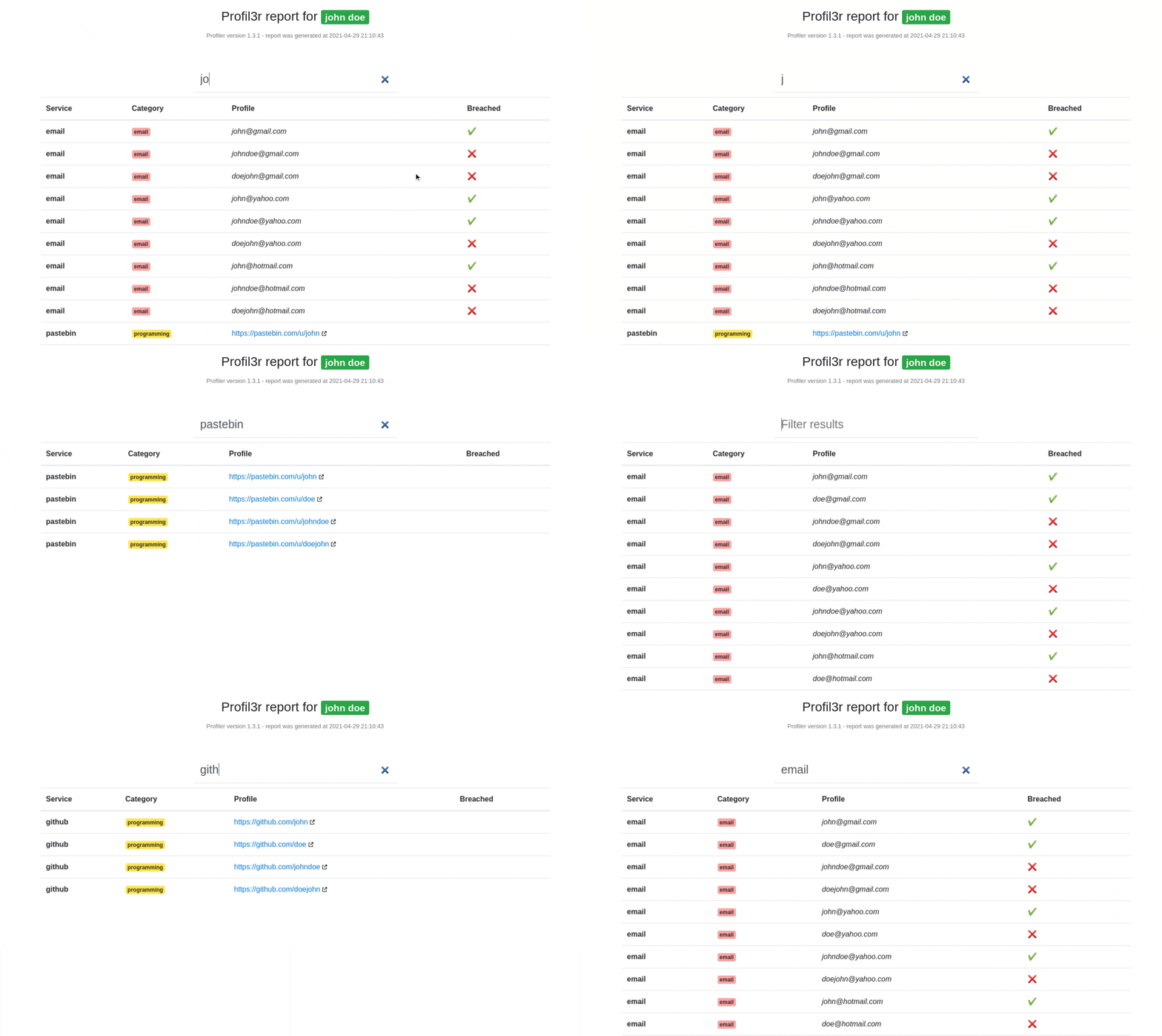
The config.json file controls which services Profil3r searches and where it saves generated reports. It also defines the separators used to construct possible username variations.
| Configuration field | Default value | Purpose |
|---|---|---|
report_elements | ["email", "facebook", "twitter"] | Defines the services included in the default search. |
json_report_path | ./reports/json/{}.json | Sets the destination for JSON reports. |
html_report_path | ./reports/html/{}.html | Sets the destination for HTML reports. |
separators | Dot, Dash, Underscore | Defines separators used when generating username variations. |
For example, the separator configuration can help generate variations such as john.doe, john-doe, and john_doe. Adjusting these settings allows investigators to control the search scope and report locations.
After installation, run the script from the project directory with the name you want to investigate:
python3 profil3r.py john doe
Profil3r uses the supplied name to generate potential identity variations and search its configured services. Review the resulting matches carefully, as common names and reused usernames can produce false positives.
The source code and project files are available through the original GitHub repository:
For additional reconnaissance resources, explore this collection of open-source OSINT tools.
Profil3r can help with authorised security assessments, personal digital footprint reviews, and legitimate investigations. Use it only with appropriate permission and respect applicable privacy laws and platform terms. Do not use discovered email addresses or account information for harassment, impersonation, unauthorised access, or other harmful activities.
Remember that an exposed email address does not establish that an account is compromised. Treat potential matches and breach indicators as leads that require independent verification.


