

How EDR Killers Bypass Security Tools
By 0xSnow on March 19, 2026


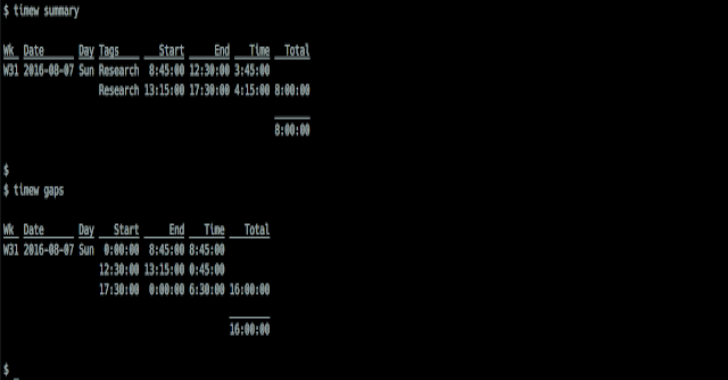
Timewarrior is an open-source command-line time-tracking utility designed to help users record work sessions, manage activities, and generate detailed time reports. It combines simple stopwatch functionality with calendar-based time entry, allowing users to track both ongoing tasks and activities recorded after they have finished.
Developed as a portable and actively maintained project, Timewarrior provides flexible reporting features without requiring a graphical interface. Its command-line workflow makes it suitable for developers, system administrators, freelancers, and anyone who wants to understand how their time is distributed across projects and daily activities.
Timewarrior can be installed through available distribution packages or compiled from its source code. Package installation is generally the simplest option, while building from source provides more control over the version and installation location.
Community-maintained binary packages are available for several Linux distributions. Check the official installation documentation for supported package sources and platform-specific instructions.
View Timewarrior distribution installation options.
Building Timewarrior requires a C++ development environment and a few supporting tools. Install the following dependencies before starting:
The exact compiler and dependency versions may vary between releases. Check the repository’s build instructions if you encounter compatibility issues.
Clone the GitHub repository and include its submodules:
git clone --recurse-submodules https://github.com/GothenburgBitFactory/timewarrior.git
cd timewarrior
Alternatively, download a release archive. The following example uses version 1.4.2 from the original installation instructions:
curl -LO https://github.com/GothenburgBitFactory/timewarrior/releases/download/v1.4.2/timew-1.4.2.tar.gz

tar xzf timew-1.4.2.tar.gz
cd timew-1.4.2
For new installations, check the official GitHub releases page and select a version appropriate for your environment rather than assuming the older example is the latest release.
Run CMake to configure the project with release build settings:
cmake -DCMAKE_BUILD_TYPE=release .
Compile the source code:
make
Running the tests is optional, but it can help identify build or compatibility problems before installation. If you cloned the repository with its required submodules and test resources, run:
make test
Note that the release tarball mentioned in the original instructions does not include the test suite, so this step may not be available when building from that archive.
Install the compiled application and its associated documentation:
sudo make install
By default, CMake installs files under /usr/local. The command may not require administrator privileges if the selected installation directory is writable by your user account.
To choose a different installation directory, configure CMake with -DCMAKE_INSTALL_PREFIX:
cmake -DCMAKE_BUILD_TYPE=release \
  -DCMAKE_INSTALL_PREFIX=/path/to/your/install/location .
Then compile and install using the same build steps.
Timewarrior includes extensive documentation covering installation, time tracking, configuration, tags, and reporting. The official documentation is the best place to learn the available commands and understand how to organize tracked activities.
For developers who regularly work from the terminal, combining time tracking with efficient command-line workflows can make daily activity management easier. Explore our guide to Linux shell commands and workflows for more terminal-based tools and techniques.


