


How EDR Killers Bypass Security Tools
By 0xSnow on March 19, 2026


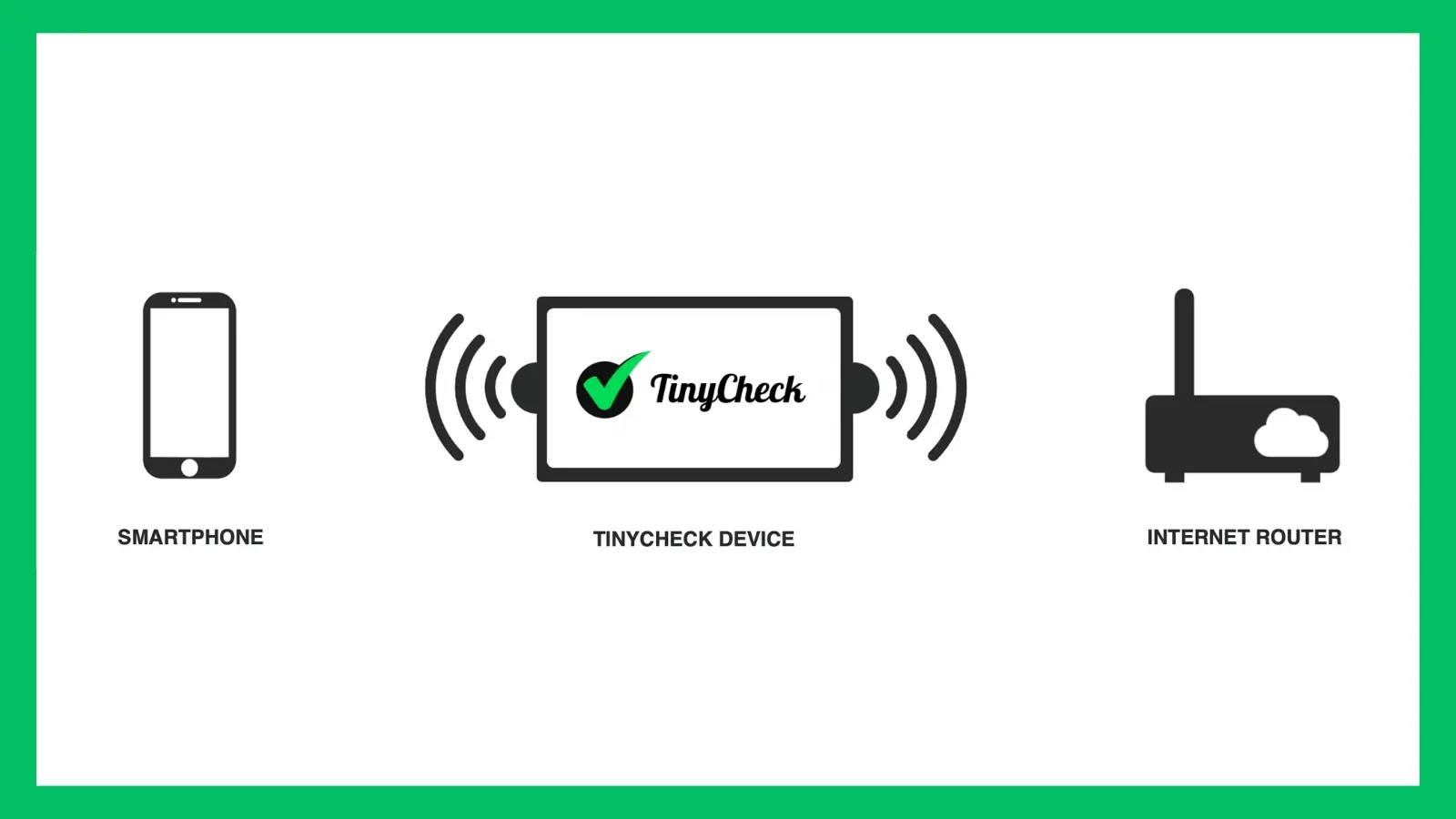
TinyCheck is an open-source network analysis tool designed to help identify suspicious communications from smartphones and other Wi-Fi-connected devices. It captures network traffic and checks it against detection heuristics and Indicators of Compromise (IoCs) to help users investigate possible spyware, stalkerware, and other malicious activity.
The project originated from discussions about detecting stalkerware without requiring victims to install technical applications or undergo complex smartphone forensic analysis. Its original concept focused on a compact Raspberry Pi-based kiosk that non-technical users could operate to check devices for potentially harmful network activity.
Security researchers can also use TinyCheck to investigate suspicious connections associated with cybercrime or more advanced threats. Users can extend its detection capabilities by adding their own IoCs through the backend, making it useful for targeted network investigations.
TinyCheck supports several deployment approaches, allowing individuals, security teams, and organizations to choose a setup that suits their environment.
Install TinyCheck on a network and access its interface from a workstation using a web browser. This approach suits environments where an operator manages device checks from a separate computer.
Configure TinyCheck as a kiosk so visitors can test their own devices. This approach follows the project’s original goal of making suspicious network activity easier to investigate for people without specialist technical skills.
A portable setup can use a Raspberry Pi, a power bank, two Wi-Fi interfaces or a 4G dongle, and a small touchscreen. This configuration makes it possible to inspect devices in different locations without relying on a permanently installed workstation.
Before using TinyCheck, prepare compatible hardware and follow the project’s installation documentation. The original project describes a Raspberry Pi-based deployment, although the precise hardware and software requirements depend on the setup you choose.
Follow the official TinyCheck installation guide for the setup procedure and configuration details. Review the TinyCheck Wiki for additional documentation covering usage and internal components.
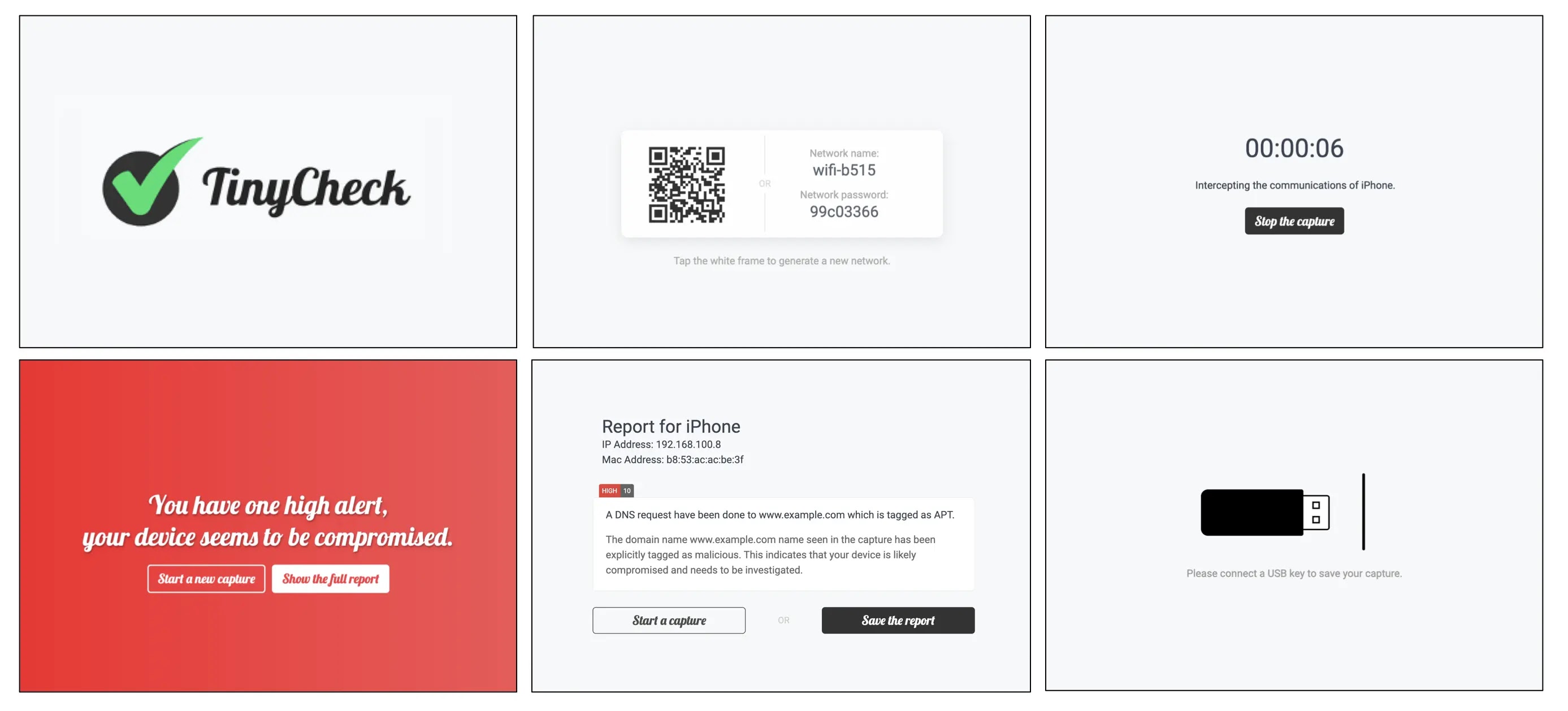
The frontend guides users through the network capture process and presents the resulting report. After installation, the interface is available at http://tinycheck.local in the described setup.
Users can configure a connection to an existing Wi-Fi network or create a temporary Wi-Fi network for the device under examination. TinyCheck then captures the device’s communications and displays a report. The original project describes this workflow as requiring only a few clicks and minimal technical knowledge.
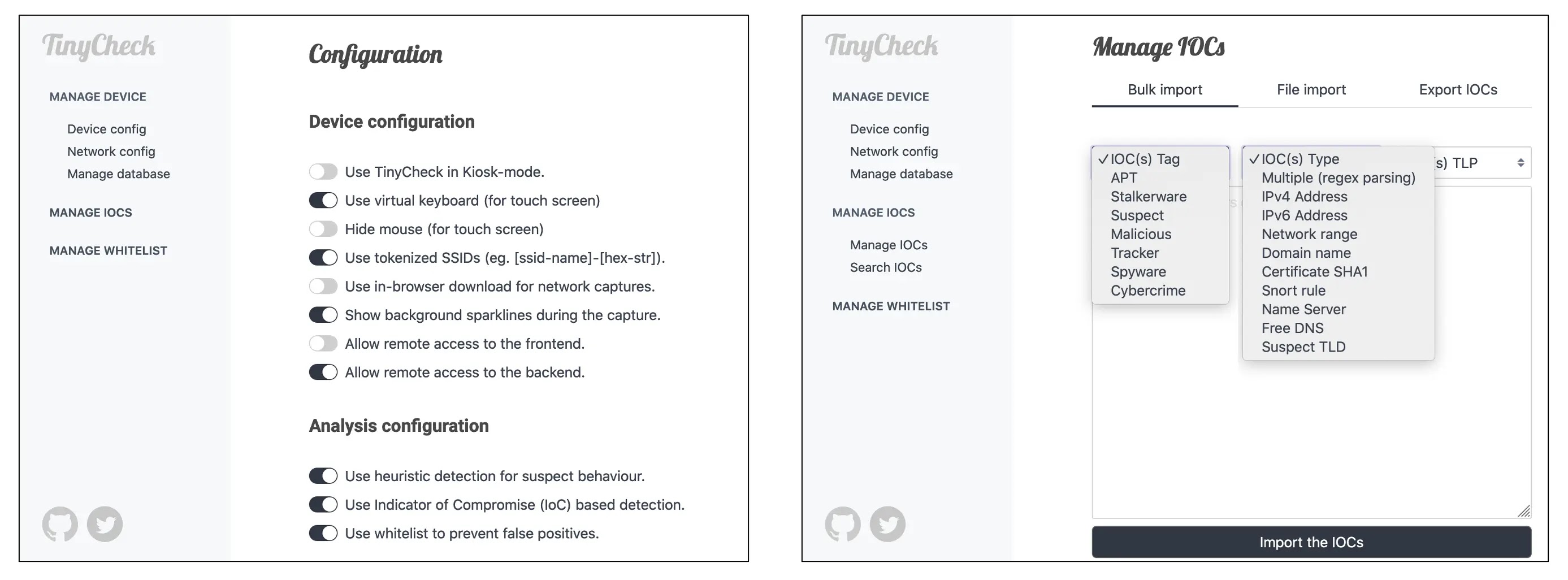
The backend provides configuration options for managing detection indicators and reducing false positives. In the documented setup, users access it at https://tinycheck.local. The interface uses a self-signed SSL certificate, so the browser may display a certificate warning during access.
Through the backend, users can add custom IoCs and whitelist trusted elements. The supplied indicators include examples such as Suricata rules, FreeDNS-related entries, nameservers, and CIDR ranges associated with known malicious infrastructure.
TinyCheck helps identify network communications that match its configured indicators or detection heuristics. A suspicious match is a lead for further investigation, not automatic proof that a device is infected. Review the destination, indicator context, and surrounding network activity before drawing conclusions.
Detection quality depends on the indicators and rules available to the installation. Keep custom IoCs relevant and current, and whitelist only elements that have been reviewed and are trusted. For broader network reconnaissance, you can also explore WhatWeb and its approach to identifying web technologies.
For device checks, obtain appropriate authorization and consider the privacy of the person whose device is being examined. TinyCheck provides a practical way to inspect network activity, but it does not replace a full forensic investigation or guarantee detection of every spyware family.


.jpg "The Evolution of Online Finance Tools In a Tech-Driven World")


.jpg "How UDP Works and Why It Is So Fast")