


How EDR Killers Bypass Security Tools
By 0xSnow on March 19, 2026


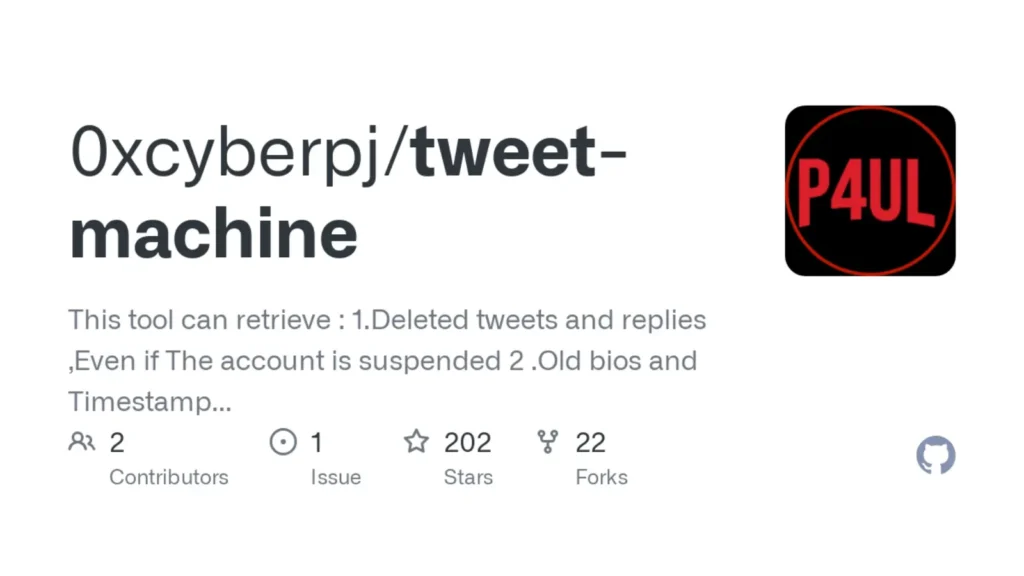
TWEET-MACHINE is an open-source Twitter OSINT tool that recovers deleted tweets and replies from any account, including suspended ones. Researchers, journalists, and pentesters use it to pull historical Twitter data that has already vanished from the platform. This guide covers installation, usage, output files, and what you need to know before running it on an active investigation.
Tip: TWEET-MACHINE's recovery depends on the Internet Archive's Wayback Machine. High-profile or frequently crawled accounts tend to have much better coverage than low-activity ones.
Twitter gives you no official way to retrieve deleted content. Once a tweet is gone, it’s gone from the platform. TWEET-MACHINE works around this by querying web archives to find cached versions of tweets before deletion.
It also handles suspended accounts. When Twitter bans an account, all its tweets disappear from the platform instantly. If that content was archived before the suspension, TWEET-MACHINE can still retrieve it. That’s the scenario that makes this tool genuinely useful in real investigations.
The tool is written in Bash and runs on Linux. There’s no Python environment to set up and no complex dependencies. If you’re comfortable with a Linux shell, you’ll have it running in minutes.
| Feature | What It Gives You |
|---|---|
| Deleted Tweet Recovery | Direct archive links to removed tweets and replies |
| Suspended Account Support | Works even after the account no longer exists on Twitter |
| Timeline Generation | Chronological list of all retrieved tweets from the target |
| Wayback Archive Links | Backup archive URLs when direct tweet links return 404 |
The Wayback archive links are the critical gotcha here. A direct tweet URL like twitter.com/username/status/12345 returns a 404 if the tweet is deleted. The archive link is your fallback. Always check the .webarchive file when the main links won’t load.
Clone the repository and make the script executable:
git clone https://github.com/0xcyberpj/tweet-machine.git && cd tweet-machine
chmod +x tweetmachine.sh
That’s the full setup. No pip install, no virtual environments, no additional packages. The script handles the rest when you run it.
Pass a Twitter username with the -u flag. Use -d to specify an output directory. Skip -d entirely and the output files land in your current working directory.
./tweetmachine.sh -u <username> -d <directory>
Practical examples:
# Save output to /tmp
./tweetmachine.sh -u cyberpj1 -d /tmp

# Save output to the current directory
./tweetmachine.sh -u cyberpj1
Replace cyberpj1 with the target Twitter handle. TWEET-MACHINE queries the archives and builds three output files automatically.
Each run produces three files named after the target username:
| File | Contents |
|---|---|
<username>.txt | Direct links to the user’s tweets and replies |
<username>.txt.webarchive | Wayback Machine archive URLs for each tweet |
<username>.txt-timeline.txt | Full chronological timeline of all retrieved tweets |
You can pipe the timeline file through sort or grep to filter by date range or keyword during analysis. That’s useful when you’re working with accounts that have thousands of archived tweets.
For suspended accounts specifically, the .webarchive file is what you need most. Direct Twitter links for a suspended user return a dead page. The Wayback URLs load the archived content directly, bypassing Twitter’s platform entirely.
Consider a Twitter account, madangowri03, that gets suspended overnight. Every tweet disappears from Twitter immediately. TWEET-MACHINE retrieves every tweet and reply that account ever posted, along with Wayback backup links for each one.
This is the scenario OSINT investigators hit regularly. An account goes down right before or after a newsworthy event. TWEET-MACHINE gives you a documented record of what was posted before the account was removed.
Journalists use this for source verification before publication. Pentesters use it to map the social footprint of a target organization. Threat intelligence analysts use it to track deleted disinformation campaigns before the evidence disappears.
TWEET-MACHINE retrieves publicly archived data, not private messages or protected tweets. Still, data collection laws vary by jurisdiction. Twitter’s Developer Agreement and Policy also governs how scraped or archived Twitter data can be used, stored, and shared.
Use this tool only for legitimate research, journalism, or authorized security work. Don’t use it to harass individuals, build profiles for surveillance, or get around platform bans for prohibited activity.
TWEET-MACHINE was developed by P4UL and R4VANAN and is available on GitHub as an open-source project.
Keep it in your OSINT toolkit. Test it on a known public account first so you understand how the three output files work before running it on a live investigation target.


.jpg "The Evolution of Online Finance Tools In a Tech-Driven World")


.jpg "How UDP Works and Why It Is So Fast")