

How EDR Killers Bypass Security Tools
By 0xSnow on March 19, 2026


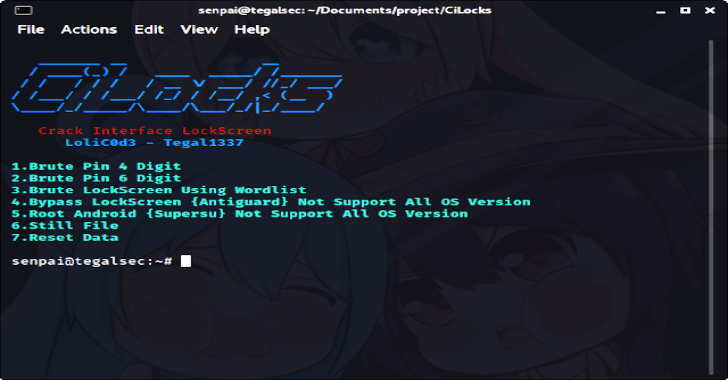
CiLocks (Crack Interface LockScreen) is a command-line security toolkit designed for Android and iOS-related security experiments. Its documented features include Android lock-screen testing, ADB integration, root-dependent functions, device management, and links to Metasploit workflows.
The project was originally introduced as a collection of Android hacking utilities. Its compatibility and available features can vary by device, Android version, installed dependencies, and repository release. Use it only on devices you own or are explicitly authorized to assess.
The original article described version 1.1.0. The project’s GitHub repository has since documented later versions, so the features listed below should be treated as a historical overview rather than a guarantee of what every release currently supports.
These features do not guarantee that a modern Android device can be unlocked. Android versions, security patches, encryption, authentication protections, USB debugging settings, and root status can all affect what is possible.
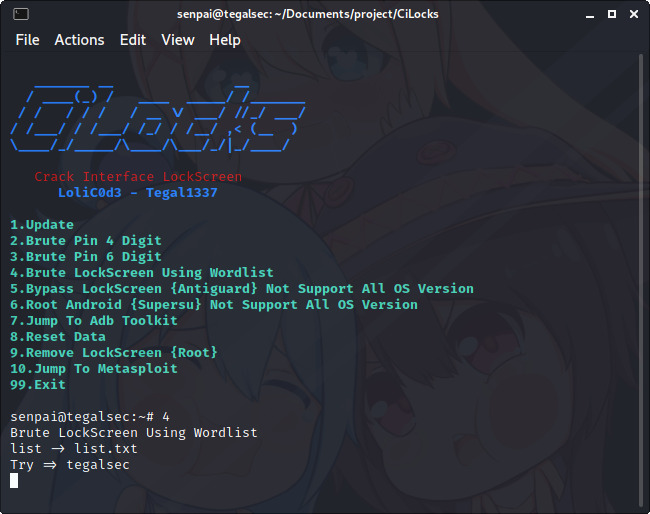
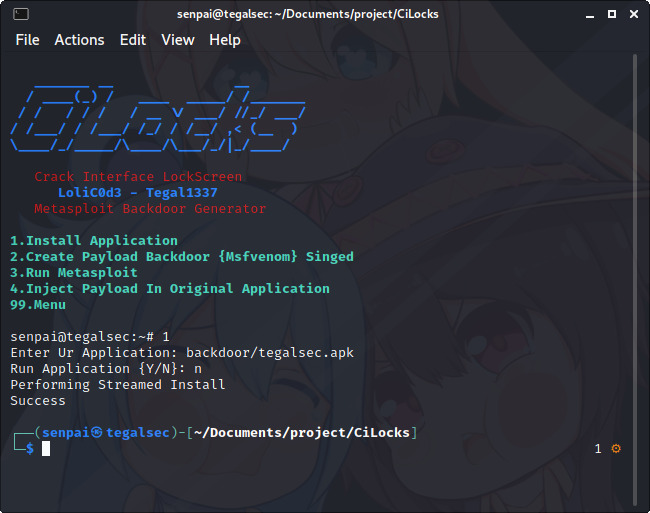
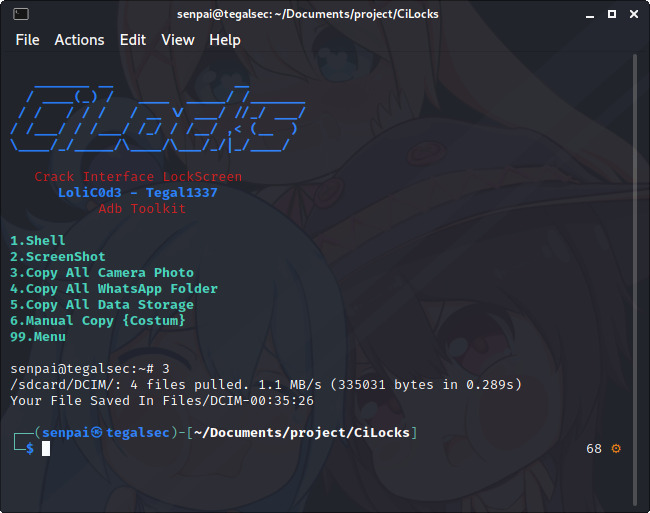
The following screenshots are from the original CiLocks article and illustrate the tool’s interface and historical workflow.


The original instructions list the following requirements:
Some operations also depend on additional tools or libraries. Check the repository’s current documentation before installing dependencies. Rooting a device can reduce its security, affect warranty coverage, and cause data loss.
The original project provides a Git-based installation workflow. Review the source code before running an unfamiliar script with elevated privileges.
git clone https://github.com/tegal1337/CiLocks
cd CiLocks
chmod +x cilocks
The historical instructions launch the tool with elevated permissions:
sudo bash cilocks
Some repository versions also document launching the executable directly. Follow the instructions for the specific release you have reviewed rather than assuming commands are interchangeable across versions.
Security note: Running an unreviewed script as root grants it extensive control over your system. Inspect the files, verify the repository and dependencies, and use an isolated test environment wherever possible.
The original guide mentions Termux or Kali NetHunter, BusyBox, and root access. Actual requirements depend on the selected feature and the device configuration.
For basic ADB connectivity checks on a device you own, enable Developer options and USB debugging only when needed, connect the device, and verify that ADB can see it:
adb devices
Authorize the connection on the device when prompted. If the device is not listed, check the USB cable, connection mode, platform tools, and device authorization settings. ADB access is not the same as permission to bypass a lock screen, and many protected operations require authentication or are blocked by Android security controls.
CiLocks historically advertised four-digit PIN, six-digit PIN, and wordlist-based testing options. These functions may fail on newer devices because Android implements authentication protections and can impose delays or other restrictions after repeated incorrect attempts.
The original guide mentions a 30-second delay after five incorrect password attempts and suggests changing an ADB key-event line if brute-force testing does not work. This behavior is not universal across Android versions or devices. Do not disable or work around authentication protections on someone else’s device.
For authorized recovery of a locked personal device, use the manufacturer’s supported account-recovery process, the device’s official recovery options, or an authorized service provider. A factory reset may erase locally stored data and may still require the previously associated account during setup.
For broader reconnaissance concepts and responsible security-testing workflows, see our guide to Website OSINT: Tools and Techniques for Reconnaissance.
CiLocks source code and project documentation are available through the author’s GitHub repository:
Read the repository documentation, review the code, and confirm the current requirements before attempting to run the project. The repository may contain features beyond those described in the original version 1.1.0 article.
Android lock-screen testing should be limited to devices you own, lab devices, or systems for which you have explicit authorization. Do not use lock-screen testing, credential guessing, or device-management features to access another person’s private data or evade their security controls.
CiLocks is a historical Android and mobile security toolkit that brings together ADB-related utilities, lock-screen testing options, root-dependent functions, and Metasploit-related workflows. Its advertised capabilities are version- and device-dependent, and the original version 1.1.0 instructions should not be assumed to work on current Android releases.
For learning and authorized testing, review the source code, work in a controlled lab, and prefer official recovery methods when the goal is to regain access to a personal device.


.jpg "The Evolution of Online Finance Tools In a Tech-Driven World")


