



How to Check Directory Size in Linux

Knowing how to check directory sizes in Linux is essential for managing disk space and keeping your system organized. Linux provides several built-in tools and commands to analyze storage usage and identify which directories or files are consuming the most space. Whether you are managing a small workstation or a large server, understanding these commands can help optimize performance...
Essential Commands for Linux User Listing

Managing user accounts is a core responsibility for any Linux administrator. Whether you’re securing a server or auditing system access, knowing how to list users effectively can save time and prevent misconfigurations. Linux offers multiple command-line tools that allow you to view users, understand their permissions, and check who is currently logged in. This guide explores the most essential...
Command-Line Techniques for Listing Linux Users

Linux offers powerful command-line tools for system administrators to view and manage user accounts. Knowing how to list users efficiently helps you audit your system, monitor access, and ensure proper security configurations. Listing Users from the /etc/passwd File All user information is stored in the /etc/passwd file. You can display the file content using: cat /etc/passwdcat /etc/passwd Each line represents a single user...
Exploring User Management in Linux Systems

User management is a critical aspect of Linux administration. Each user in a Linux system has specific permissions, roles, and files associated with their account. Understanding how to manage users efficiently ensures system security and organized access control. Understanding User Accounts in Linux In Linux, users are divided into three main categories: Root user: The superuser with full system privileges. Regular users: Accounts...
How to List Users in Linux

Managing users is an essential part of Linux system administration. Knowing how to list all users helps you monitor system access, manage permissions, and ensure security. In Linux, user information is stored in specific system files, and several commands can be used to view this data. Check Users from the /etc/passwd File All local users are recorded in the /etc/passwd file....
Nmap cheat sheet for beginners
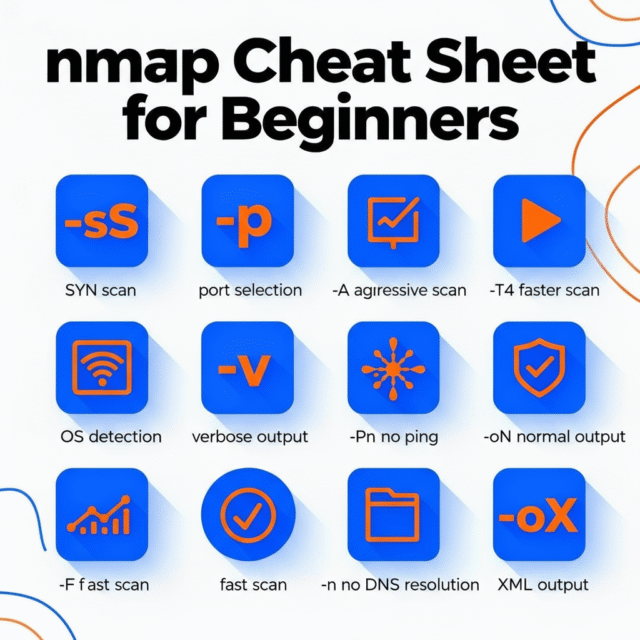
Nmap (Network Mapper) is a free tool that helps you find devices on a network, discover open ports, and identify services running on those ports. This Nmap cheat sheet uses simple language and lots of practical examples so beginners can learn by doing. Only scan systems you own or have permission to test. Choosing what to scan Before running Nmap you...
Understanding the Model Context Protocol (MCP) and How It Works

Introduction to the Model Context Protocol (MCP) The Model Context Protocol (MCP) is an open standard that enables AI applications, such as large language models, to connect seamlessly with external systems and diverse data sources. MCP empowers models like Claude, ChatGPT, and Gemini with the ability to access and interact with real-time enterprise information, APIs, and software tools, making AI-powered...
The file Command – Quickly Identify File Contents in Linux
While file extensions in Linux are optional and often misleading, the file command helps decode what a file truly is. This powerful utility analyzes the actual content, not just the name, and offers a reliable description, vital for system admins, developers, and anyone working with unknown or mixed file types. What Does file Do? Examines file headers and content to determine data type. Provides...
How to Use the touch Command in Linux
The touch command is one of the quickest ways to create new empty files or update timestamps for existing files in Linux. It’s widely used by system administrators, developers, and anyone who works with scripts or manages lots of files. Mastering touch can boost efficiency, automate file creation, and help maintain proper timestamp records. What Does touch Do? Instantly creates new files without opening a...
How to Search Files and Folders in Linux Using the find Command
Handling large numbers of files is routine for Linux users, and that’s where the find command shines. It’s a dynamic tool that helps you search for files and directories based on name, type, modification date, size, permissions, and even content. Whether conducting audits, cleaning up old files, or troubleshooting, find ensures you locate exactly what you need, quickly and efficiently. Command Syntax find [location] [options]...