




How to Move and Rename Files in Linux with the mv Command
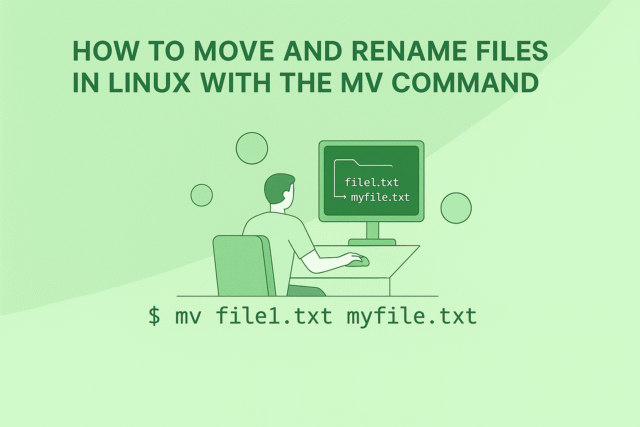
Managing files and directories is foundational for Linux workflows, and the mv (“move”) command makes it easy to relocate or rename items without hassle. Whether organizing a project, cleaning up folders, or updating your directory structures, mv is the tool to streamline these tasks. mv Command Syntax mv [options] source destinationmv [options] source destination source: The file(s) or directory(ies) you want to move or rename. destination: The target location...
How to Create Directories in Linux with the mkdir Command
Creating directories is one of the earliest skills you'll use on a Linux system. The mkdir (make directory) command provides a straightforward way to organize your files by creating folders wherever you need them, whether it’s one directory or an entire hierarchy in a single step. This guide walks you through mkdir usage, options, cautionary tips, and a range of practical, unique examples. Basic...
The Code Behind Lyric Video Makers: Rendering and Timing

Lyric videos have become one of the most popular tools for artists to share music online. They’re creative, affordable, and help listeners connect more deeply with the words of a song. But behind the slick animations and perfectly timed text is a surprisingly technical process. Rendering, timing, and synchronization all play crucial roles, and much of it comes down...
cp Command: Copy Files and Directories in Linux
The cp command, short for "copy," is the main Linux utility for duplicating files and directories. Whether making a backup, organizing a project, or moving content, cp allows smooth transfers and ensures the original remains unchanged. Syntax of cp Command To use cp, provide at least two arguments: a source and a target. cp [source_file] [destination]cp [source_file] [destination] If you specify a directory as the destination, the file...
Image OSINT

Introduction In digital investigations, images often hold more information than meets the eye. With the right tools and techniques, analysts can uncover hidden metadata, find where else a picture appears online, identify faces, and even determine the exact location where it was taken. This process is known as Image OSINT (Open Source Intelligence). Using a structured workflow starting from reverse searches...
cat Command: Read and Combine File Contents in Linux
The cat command short for concatenate, It is a fast and versatile tool for viewing and merging file contents directly from the Linux terminal. Whether you're inspecting logs or quickly joining multiple text files, cat delivers what you need with efficient simplicity. How cat Works You use cat to display the contents of files. Simply run: cat filename.txtcat filename.txt You'll instantly see everything written in the file printed to...
Port In Networking

What is a Port? A port in networking acts like a gateway that directs data to the right program on a device. An IP address shows which device should receive the data, but it does not tell which application must handle it. That is where ports come in. Think of it this way: The IP address is the building’s address, while...
ls Command: List Directory Contents in Linux
The ls command is fundamental for anyone working with Linux. It’s used to display the files and directories in your current location, helping you stay organized and informed about your project's structure. How ls Works By simply typing ls into your terminal, you get an instant overview of all visible files and folders. But ls offers more than just a basic list,you can customize its output with...
pwd Command: Find Your Location in Linux
The pwd (Print Working Directory) command is essential for navigating the Linux filesystem. It instantly shows your current directory, so you always know where you are while working at the command line. What Does pwd Do? pwd displays the full path to your present working directory. This is crucial for beginners learning to navigate Linux, as the operating system organizes data in a clear...
cd Command in Linux
Navigating a Linux system is effortless when you master the cd command. The name stands for “change directory,” and it’s the primary tool for moving through the complex world of Linux folders. Understanding the cd command is a must for all those tackling Linux for the first time, as it opens up swift exploration of every corner of your computer. How cd Works Use the cd command...