


How EDR Killers Bypass Security Tools
By 0xSnow on March 19, 2026


.webp "SysReptor Security Reporting for Pentesters")
SysReptor is a customizable security reporting platform built for penetration testers, red team operators, and security consultants. It helps security professionals turn assessment findings into structured, professional reports without relying on traditional word-processing software.
With SysReptor, users can write findings in Markdown, customize report designs using HTML, CSS, and Vue.js, and export completed reports as PDF documents. It is available as a cloud service or as a self-hosted deployment, giving teams flexibility over how they manage assessment data and reporting workflows.
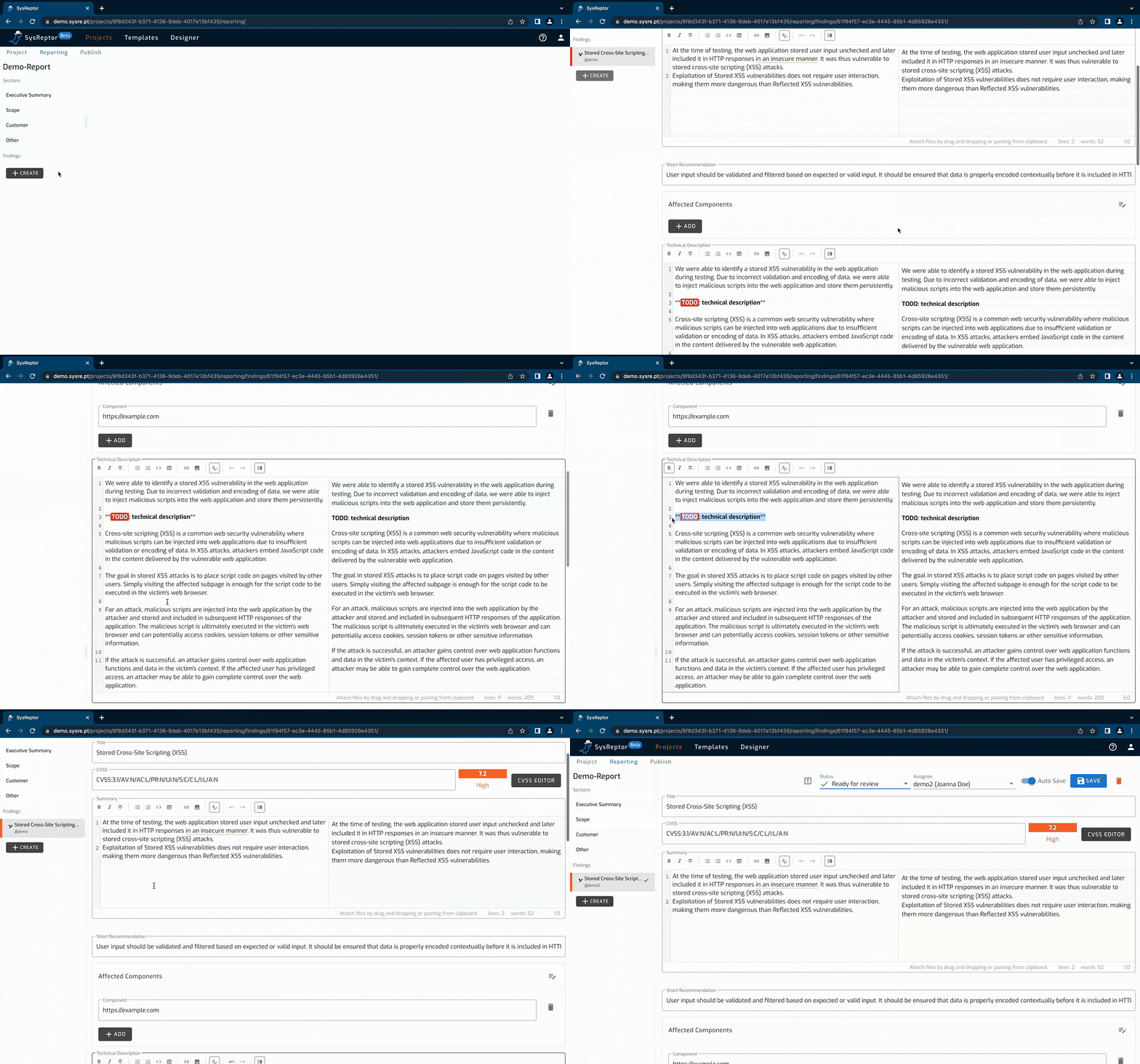
SysReptor supports Markdown for writing findings, recommendations, technical explanations, and other report content. This allows testers to focus on documenting vulnerabilities instead of spending time manually formatting every section. Structured content also makes it easier to maintain consistency across multiple assessments.
Users can create and adapt report templates using HTML and CSS, with Vue.js available for dynamic template components. Organizations can customize the appearance of reports to match their branding, preferred structure, and client requirements. Reusable designs also help standardize deliverables across a security team.
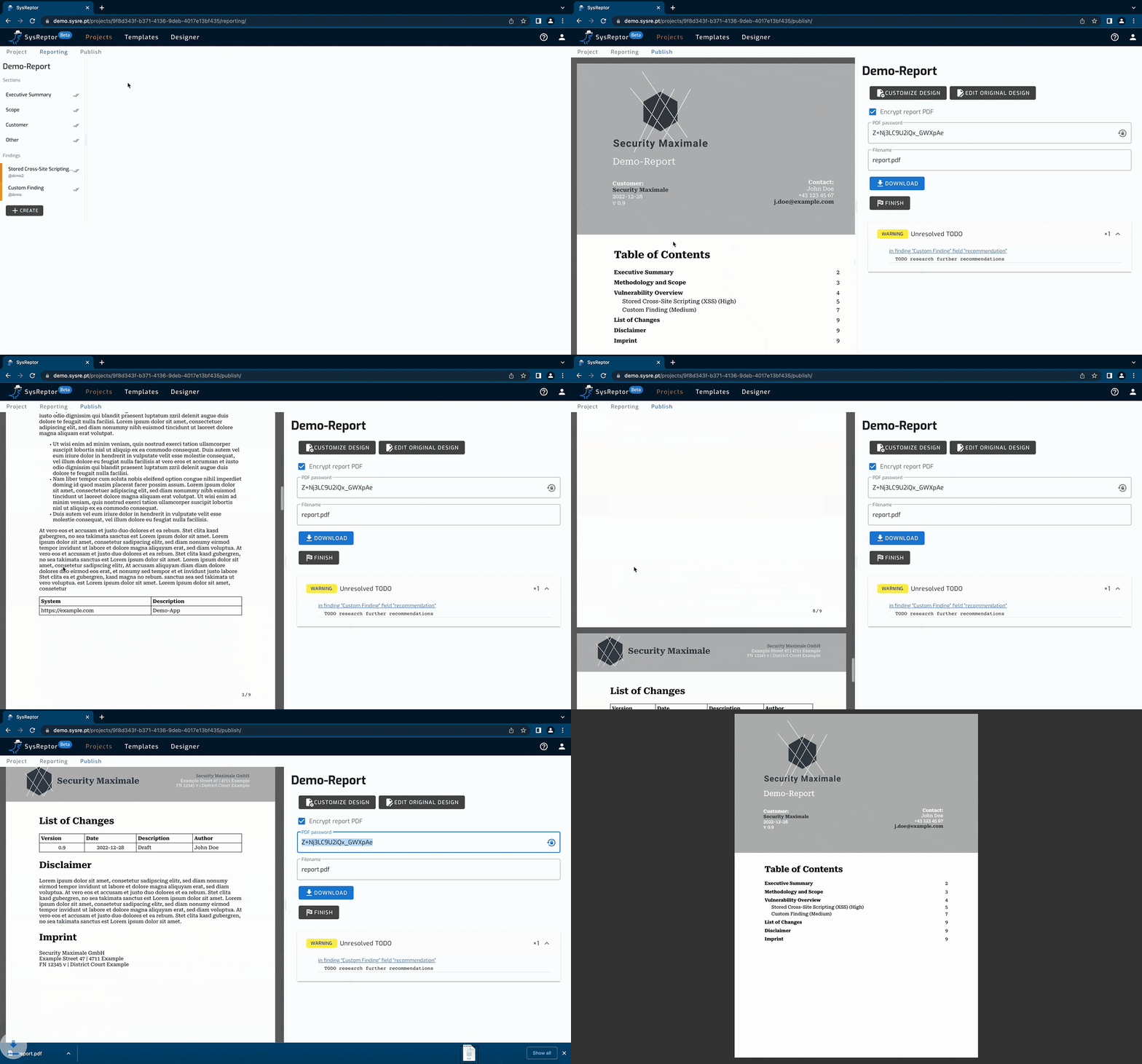
Completed reports can be rendered as PDF documents for sharing with clients, development teams, and management. A consistent export process reduces the need to copy findings into a separate document editor and manually adjust headings, tables, and formatting.
SysReptor supports two deployment approaches. The cloud option is suitable for users who want to begin reporting without managing infrastructure. Self-hosting gives teams greater control over deployment, updates, access policies, and where assessment information is stored.
SysReptor is designed around the reporting needs of penetration testers and offensive security teams. A structured reporting workflow can help document vulnerabilities, explain their impact, record remediation advice, and present technical results in a format clients can understand.
Users who prefer not to maintain a server can explore the hosted version. The demonstration environment provides an opportunity to evaluate the interface and reporting workflow before choosing a dedicated cloud instance.
For teams that prefer self-hosting, the project provides installation instructions for Ubuntu-based systems using Docker and the Docker Compose plugin. Review the current prerequisites and supported configuration in the official documentation before starting.
The documented installation method uses a script hosted by SysReptor:
curl -s https://docs.sysreptor.com/install.sh | bash
Security note: This command downloads a remote script and executes it with Bash. Before running it, inspect the script and verify the source. Use an appropriately secured server and avoid running installation commands with unnecessary privileges.
After installation, the application may be available at the local address below, depending on the configured deployment:
http://localhost:8000/
For complete setup steps, configuration details, and troubleshooting guidance, consult the official SysReptor installation documentation.
SysReptor provides an alternative to manually assembling assessment reports in a word processor. Markdown-based writing, reusable templates, and PDF export can reduce repetitive formatting work and help teams deliver consistent results. Teams should still review findings for accuracy, remove unnecessary sensitive information, and validate remediation guidance before sharing reports.
For related security tools and assessment workflows, explore our guide to forensic investigation tools. SysReptor is worth considering for security professionals who want a customizable reporting process with the choice of cloud convenience or self-managed infrastructure.
The following original images from Kali Linux Tutorials demonstrate report creation and project export in SysReptor.


.jpg "The Evolution of Online Finance Tools In a Tech-Driven World")


.jpg "How UDP Works and Why It Is So Fast")