

Cybersecurity Updates & Tools
Followed by 250k+ Followers
Facebook
Instagram
X
Youtube
Sign in
Home
Cyber security
OSINT
Linux
News
More
Windows Phone
Android
iPhone
Accessories
Bluetooth
Sign in
Welcome!
Log into your account
your username
your password
Forgot your password?
Password recovery
Recover your password
your email
Search
Sign in
Welcome! Log into your account
your username
your password
Forgot your password? Get help
Password recovery
Recover your password
your email
A password will be e-mailed to you.
Home
Cyber security
OSINT
Linux
Linux
How to Use the Linux find Command to Locate Files Like a Pro
Linux
How to Check Open Ports in Linux Using netstat, ss, and lsof
Linux
How to Send POST Requests Using curl in Linux
Linux
What Does chmod 777 Mean in Linux
Linux
How to Undo and Redo in Vim or Vi
News
More
Windows Phone
Android
iPhone
Accessories
Bluetooth
Kali Linux Tutorials
Home
Tags
Ids
Tag: ids
Kali Linux
Bantam : A PHP Backdoor Management And Generation tool/C2 Featuring End...
R K
-
August 19, 2021
0
Kali Linux
GIVINGSTORM : Infection Vector That Bypasses AV, IDS, & IPS
R K
-
July 21, 2020
0
Information Gathering
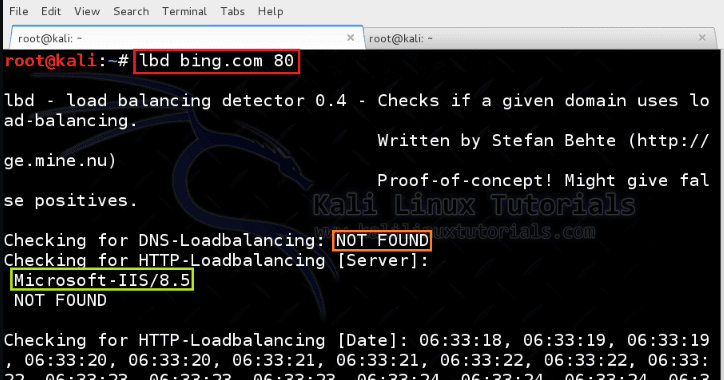
lbd – Tool to Detect Whether a Domain has Load Balancing...
Ravi Sankar
-
July 5, 2018
0
Tutorials
Ua-tester – A tool for User Agent WAF, IDS/IPS, Redirection testing
Ravi Sankar
-
July 3, 2018
0
Information Gathering
Fragroute – A Network Packet Fragmentation & Firewall Testing Tool
Ravi Sankar
-
April 25, 2018
0
APPLICATIONS
Coerced Potato – Windows Privilege Escalation
Varshini
-
October 17, 2023
Nmap-API : Uses Python3.10, Debian, python-Nmap, And Flask Framework To Create A Nmap API
R K
-
June 21, 2023
Lollipopz : Data Exfiltration Utility For Testing Detection Capabilities
R K
-
April 20, 2020
Spock SLAF : A Shared Library Application Firewall “SLAF”
R K
-
June 9, 2022
HOT NEWS
Darkdump2 – Search The Deep Web Straight From Your Terminal
R K
-
February 28, 2023
0
Kali Linux
Darkdump is a simple script written in Python3.11 in which it allows users to enter a search term (query) in the command line and...